
隨住去中心化金融(DeFi)總鎖倉價值突破1,300億美元,2025年全球用戶數以千萬計,呢場金融革命最重要嘅出入口已經成形:自主管理嘅DeFi錢包。自從FTX等中心化平台倒閉改變咗市場版圖,選擇一個安全好用嘅錢包,已經同昔日揀銀行一樣關鍵——不過自由度更高、責任亦更大。
DeFi由加密圈子小眾玩意,成為蓬勃發展的新金融前沿。2025年中,DeFi協議嘅總鎖倉額大約1,300億美元,較年初翻多倍。呢次復甦——2021年DeFi大熱,2022年遇上熊市冷卻,隨後2024、2025年強勢彈升——用戶數字亦急升。2021年尾全球約750萬DeFi用戶,如今增長遠超此數。
有預測話,2025年全球DeFi用戶以千萬計(單是北美過千萬、亞洲1600萬)。呢個增長證明,DeFi錢包已經成為普通投資者進軍去中心化金融世界必備嘅門戶。
以前管理加密貨幣,多數將資產放喺交易所或單一幣種錢包。但一啲大型中心化平台(例如2022年嘅FTX)倒閉之後,大家警覺到將資產交俾第三方嘅風險。於是用戶轉向自主保管,DeFi錢包人氣急升,成為安全選擇。2025年,非託管錢包已經成為DeFi生態骨幹——幫助數百萬人唔使中介,自由地借貸、交易、投資加密資產。
用呢啲錢包,用戶可以做自己銀行,持有多種類數碼資產,開通各種區塊鏈服務。
隨住DeFi板塊急速擴大——雖然佔全球金融體系仍然細小,不過發展極快——選到合適錢包,就等於當年揀銀行咁重要。以下內容,我哋會解釋咩叫DeFi錢包,同傳統加密錢包有咩唔同;會分類分析目前市面主要類型,評比2025年十大DeFi錢包(包括數據、優缺點),同埋教你如何按自己需要揀最啱錢包。睇到尾,你就會有信心,安全進出DeFi世界。

乜嘢係DeFi錢包?有咩分別?
DeFi錢包其實就係一種專為讓你全權掌控自己數碼資產嘅加密錢包,通常採用非託管設計,可以無縫對接各類DeFi應用。用DeFi錢包,你會持有私鑰(一般用12字或24字種子短語加密儲存)。
換句話講,只有你本人先可以開動或調動資金。相反,中心化交易所(或者叫“託管”錢包)就係類似銀行帳戶,由平台幫你持有私鑰。用DeFi錢包,唔會有銀行或交易所可以凍結你戶口或限制交易。呢種根本性分別,帶俾用戶前所未有自由度,但同時負擔咗更多責任:如果唔見咗恢復短語,冇得打熱線搵客服救返。總括嚟講,DeFi錢包将資產擁有權(同安全責任)100%交返俾用戶;反而交易所錢包其實同平時銀行戶口差唔多,係平台控制。
DeFi錢包通常比單一幣種錢包(例如只支援比特幣)或者託管式交易所錢包,多元化得多。
例如,早期好多加密用戶只用比特幣錢包,主要就係收發BTC。不過呢啲錢包冇法直連DeFi協議,例如以太坊上的Uniswap或Aave。反過來,DeFi錢包天生講求兼容性,支持多種幣種、多條區塊鏈,仲有投注、借貸、交易,甚至NFT收藏等功能。
用實際例子講,DeFi錢包就好似你入手Web3世界嘅通行證:今日可以用去去中心化交易所換幣,聽日就提供流動性參與借貸池,全都用同一個錢包介面搞掂。
另一個大分別係登入及連接方式。用交易所錢包或者理財app多數要用電郵/密碼或生物辨識開戶,平台先鎖匙打開你資產。DeFi錢包則完全無中介,直接以錢包地址連接dApp(去中心化應用),交易過程由錢包簽署,唔使再登入。例如,你去某個DeFi借貸App或NFT市集,見到“連接錢包”掣,而唔係傳統登入表格。解鎖錢包之後,佢會提示你授權連接。
錢包即登入,係Web3世界嘅核心:一個錢包就可以做無數dApp單一登錄,密碼用加密簽名取代。
最重要,DeFi錢包大致分為兩大類:軟件錢包同硬件錢包。軟件錢包通常係App或瀏覽器插件——即係俗稱「熱錢包」,因為日常都接駁住網絡,好似Trust Wallet手機App、MetaMask瀏覽器插件等,免費、易開戶,日常使用非常方便。硬件錢包則係實體裝置,好似USB手指般,把私鑰冷藏(唔連網,所以又叫「冷錢包」)。
品牌如Ledger、Trezor都屬此類。硬件錢包極高保安,私鑰永遠唔離開設備本身,只不過交易操作會冇咁快,唔及軟錢包方便。好多進階用戶兩樣齊用:大額冷藏用硬件錢包,日常小額資金就用軟件錢包(而且兩者可以連接,配合使用)。
咁究竟「DeFi錢包」同普通加密錢包有咩唔同?
其實冇絕對分界,但一般來講,「DeFi錢包」係指支援DeFi應用集成,以及多幣種功能。例如單一比特幣錢包可能唔支援智能合約或NFT可視化,但DeFi錢包多數有。DeFi錢包通常設有Web3瀏覽器或支援WalletConnect,可以接駁去中心化交易、農場、NFT平台等。簡單嚟講,任何非託管、又可以直接連接DeFi協議嘅錢包,都可以叫做DeFi錢包,不過每個品牌有自己獨特生態圈同限制,所以分清唔同系列同功能好緊要。
DeFi錢包類型及主要分別
市面上嘅DeFi錢包眾多,各有特色同優劣。以下係幾個主要分別:
資產託管權
幾乎所有標榜「DeFi」嘅錢包,都係非託管(自主管理),即係你自己持有私鑰。但有啲混合方案開始出現,例如部分中心化交易所推出所謂“DeFi錢包App”,讓用戶自己掌控私鑰,但又同平台服務連通。想真正自主,揀錢包時一定要確認佢真係非託管;只要係託管,就唔算真正DeFi錢包。
硬件 vs. 軟件
前面提過,硬件錢包係實物冷藏,軟件錢包則係手機/電腦App。硬件(如Ledger、Trezor)要配合軟件介面(如Ledger Live、MetaMask配合USB/Bluetooth)先用到DeFi。硬件錢包保安最強,私鑰永不離機,但即時交易未必方便。軟件錢包(如MetaMask、Trust Wallet)每日用得好輕鬆,但安全性要靠你部機同個人習慣。唔少用戶會大額擺硬件,小額日常用軟件。
支援平台形式
DeFi錢包形態多變——手機App、網頁/瀏覽器插件、桌面應用,甚至純網頁版。手機錢包(Trust Wallet、SafePal、Argent等)以易用、便攜取勝。瀏覽器插件(MetaMask、Phantom等)就適合桌面用戶,方便一click直連Web dApp。有啲錢包提供手機同瀏覽器版本(Coinbase錢包、SafePal都有)。而潮流新興多平台同步錢包,令你隨時手機、電腦同步管理。點揀取決於你習慣——經常外出用手機,或係常坐電腦web界面。
支援區塊鏈
一個重要分別,係支援嘅區塊鏈及幣種。有啲錢包只支援單一網絡,例如Phantom原本只支援Solana(之後先加Ethereum等),Leather或Xverse主力支援比特幣及相關網絡。相反,多鏈錢包如Trust Wallet、Coinbase錢包支援超過數十條網絡——由以太坊、BNB鏈到Polygon、Solana等。如果你想深入特定DeFi生態,例如Solana DeFi,就一定要揀支援該鏈嘅錢包。 MetaMask – the popular Ethereum wallet – doesn’t natively support Solana).
另一方面,如果你在多條鏈上持有資產,你就會想要一個可以一站式管理所有加密貨幣嘅錢包。好消息係,其實你可以根據唔同用途用多個錢包——好多加密用戶都習慣咁做。
Smart Contract Wallets vs. Externally Owned Accounts (EOAs)
唔講太多技術細節,大部分常見錢包(例如MetaMask、Trust等)其實就係開一個用密鑰對控制嘅個人帳戶——呢啲叫做externally owned accounts(EOAs)。
相反,有啲錢包(例如Argent)其實就係智能合約錢包。Argent就用咗Ethereum上面嘅智能合約程式碼,提供一啲先進功能,例如社交恢復(即係你信得過嘅聯絡人可以幫你攞返個錢包,如果你唔記得點登入)同埋安全交易規則。呢啲智能合約錢包可以實現創新功能(好似Argent可以設每日轉帳上限,又或者只准白名單地址),但有啲操作收取網絡費用可能會貴啲,而且會靠底層區塊鏈技術是否支援。用戶體驗上都係一個「錢包app」,但背後運作方式就唔同傳統密鑰錢包。隨住「帳戶抽象」技術發展,未來會有更多錢包用智能合約帳戶,帶嚟更大彈性。
Key Management and Security Features
唔同錢包會用唔同方式處理私鑰同安全。傳統錢包通常會生一組12或24個字嘅助記詞,使用者要小心保存。如果唔見咗就等同資金冇番——就係咁簡單(咁可怕)。而新一代錢包有啲想解決呢個痛點。例如ZenGo就用MPC(多方運算),佢會將秘密分開儲存喺你部機同佢地伺服器,即係冇單一個助記詞,又冇單一失敗點——對用戶嚟講簡單好多。Argent個社交恢復功能都係另外一種冇助記詞嘅方案:你可以揀啲「守衛」,可能係朋友或者其他裝置,聯手幫你搵返入場門口。有啲錢包都會用手機硬件安全模組或者生物認證鎖App。揀錢包時要諗清楚自己最啱用邊種安全設計:係鍾意傳統「抄低助記詞,擺好佢」定係想用新式輕託管方案,易啲recover錢包但唔需要「託管人」。每種方法喺安全同方便方面都有取捨。
User Interface and Features
每個錢包都會用功能性彰顯自己。有啲錢包只係好簡單做儲存同轉帳。亦有啲就成個金融平台一樣。好多DeFi錢包都有內置代幣兌換(例如MetaMask有Swap功能集成DEX報價,Trust Wallet、SafePal都內置swap或DEX功能)。部分錢包可以直接用app做質押staking,或者直通DeFi借貸服務。玩NFT嘅朋友會想要一個妥當展示同發送NFT嘅錢包——例えばRainbow同Phantom就喺NFT功能方面表現突出,相反MetaMask預設唔會顯示NFT收藏品。如果你打算用錢包收發NFT,記住揀個NFT功能完善嘅。又或者有dApp瀏覽器:好多手機錢包有埋內置網頁瀏覽器,可以直接喺app打開DeFi平台(例如Uniswap、Compound等)直接用,手機操作方便。用桌面browser extension版本錢包時,extension本身就可以當做同web dApp溝通嘅接口。
有啲錢包亦會提供資產組合追蹤、即時價位圖表、警報、或者教學內容。最終都要睇你自己用途同需求:錢包嘅界面及功能要合自己心水同用戶水平。新手會傾向選擇簡單介面但功能齊全(例如查資產、做swap),而資深玩家會想要多鏈操作、手動加自訂網絡、進階設置等功能。
總括而言,咩類型DeFi錢包最適合你,其實係要睇你用途。
你專注一個生態圈(例如只玩Ethereum)?/定係經常轉鏈刷鏈?/你最高要求係資產安全(傾向用冷錢包)?/還是覺得方便流動最緊要?好消息係,你其實完全可以分用途用多個錢包:可能大額DeFi投資配冷錢包加MetaMask、細額多鏈portable portfolio用Trust Wallet、做某啲專項活動(例如玩Solana NFT)就另開專用wallet。下一Section,我哋會實地走一圈,介紹2025年十大頂級DeFi錢包,每個各有特色,讓你對市場格局有更明確體會。
Top 10 DeFi Wallets in 2025
以下介紹2025年最出色嘅十款DeFi錢包。
每個錢包都會標明發佈日期/成立年份、大約用戶規模、主要優點、注意缺點,以及其最大特色。這啲錢包都係根據行內專家意見、市場口碑同加密圈主流用戶習慣精選。
MetaMask (2016年推出;每月活躍用戶約3,000萬+)
優點: 對Ethereum同EVM兼容鏈支援極廣;作為瀏覽器extension或者手機app都易用;同DeFi dApp整合度非常高——基本上Ethereum生態大多數app都默認用MetaMask;可以手動加自訂網絡(容許加入成千上萬個新鏈);有內置token swap及staking功能。
缺點: 原生只支援EVM兼容鏈——唔原生支持Solana、Bitcoin等非以太坊鏈(需外掛插件);屬於熱錢包,長期連網易受釣魚或惡意軟件攻擊(用戶要警惕假網頁、釣魚簽名);無即時客服支援(非託管設計),損失全靠自己備份seed phrase。
簡介: MetaMask幾乎就等同「Web3錢包」——因為實在太普遍。由ConsenSys於2016年創立,一開始就係為Ethereum設計嘅瀏覽器插件,之後成為DeFi世界不可或缺。MetaMask用家只需幾個click,就可以直達任何Ethereum dApp——包括Uniswap兌換、Aave借貸、NFT鑄造等。多年來擴展咗好多兼容Ethereum技術嘅Layer1、Layer2網絡(例如Polygon、BSC、Arbitrum等)。截至2025年,MetaMask全球每月活躍用戶超過三千萬人,地位穩如DeFi錢包霸主。支援多種瀏覽器(Chrome、Firefox、Edge等)又有手機app。手機版本更有內置dApp瀏覽器,手機端都可以一站式搞掂。MetaMask受歡迎既因其簡易(開戶極快,連結dApp極爽快)、又有擴展性(可以匯入Ledger等硬件錢包加強保安,火熱新功能MetaMask Snaps支持用插件接軌非EVM鏈)。缺點係咁流行令佢成為釣魚詐騙首要目標。過去有不少假網站、假擴充功能用戶中招洩漏seed phrase。團隊爲此強化咗url惡意偵測,但講到底,MetaMask安全最終要靠自己。雖然MetaMask原生功能較基本(例如NFT/Solana唔原生支援),但只要混Ethereum生態,MetaMask簡直必備。完全免費(只收網絡費同swap服務小費),功能日日進化——2025年新功能如Snaps大大擴充咗實力,傳聞MetaMask代幣或獎勵計劃亦即將面世,使其從基本錢包蛻變成Web3多功能平台。
Trust Wallet (2017年推出;下載量累計超過2億次)
優點: 支援巨量區塊鏈同代幣(70+條鏈,9百萬種token)——真正多鏈支持;手機app介面超易用,適合新手;有內置DEX做即時token swap同dApp瀏覽器;支援多款代幣staking同NFT功能;背後有Binance支持(團隊資源、社群都強大)。
缺點: 專注流動裝置——桌面大概2022年底先有browser extension,用戶數仍遠落後手機app;由於支持太多鏈,未必每個鏈都支援齊全進階功能(例如唔似MetaMask咁可以任意手動加新網絡,只能用官方有支援果啲);都係熱錢包,保安主要靠用戶裝置(除非配合硬件錢包或者WalletConnect,否則冇額外保安層);有時連接部分dApp會有問題(但一般穩定)。
簡介: Trust Wallet已經發展成全球最受歡迎錢包之一,重要原因係滿足一App多功能。2017年成立後被Binance收購,本意就係要用家一個App攬晒最多幣、最多鏈,介面又友好。當下官方講話全世界有2.1億安裝用戶——誇張規模,成最大自託管社群之一。
據團隊透露,全球1/3加密用戶都用過Trust Wallet。之所以吸引用戶,就係因爲支援面夠闊:無論你持BTC、ETH、BNB類型token、Solana、Avalanche、Cardano或者冷門資產,基本都一App全包。等同啱啱入圈嘅人可能只識一兩種幣,用開用下,想加新資產都唔駛轉錢包。The mobile app (on iOS/Android) is known for its clean design and ease of use. It also has an integrated Web3 browser, so you can navigate to DeFi apps (on various chains) and connect within the wallet. In-app, Trust offers one-click staking for coins like BNB, ATOM, Tezos and more – allowing users to earn yield right from the wallet.
這款手機應用程式(iOS/Android)以其簡潔設計同易用性出名。佢內建 Web3 瀏覽器,用戶可以直接喺錢包入面瀏覽唔同鏈上的 DeFi 應用,並即時連結。應用程式之中,Trust 提供一鍵質押功能,支援例如 BNB、ATOM、Tezos 等代幣,用戶可以喺錢包內直接賺取收益。
There’s also a Swap and Exchange feature where Trust either routes trades through decentralized exchanges or its partners. In 2023, Trust introduced a browser extension for PCs, bringing most of its functionality to Chrome/Brave and others, which expanded its reach to desktop DeFi users.
另外有 Swap 同 Exchange 功能,用戶可以透過去中心化交易所或者 Trust 嘅合作夥伴進行交易。去到 2023 年,Trust 推出咗桌面版瀏覽器擴展,把大部分功能帶到 Chrome、Brave 等平台,令更多桌面用戶可以用到 DeFi。
On the security front, Trust Wallet is open source and has a solid track record (no major hacks of the wallet itself). It doesn’t force any KYC or personal data collection, aligning with the ethos of decentralization. One downside is if you need a custom or experimental blockchain that Trust doesn’t natively include, you’re out of luck – the wallet has a predefined list of supported chains (albeit a very long list). But for 99% of users, that list is comprehensive. In summary, Trust Wallet is often recommended for newcomers to DeFi who want a simple yet powerful mobile wallet that can later scale with their crypto journey. It combines the credibility of a big name (Binance) with the non-custodial freedom of a DeFi wallet.
喺安全方面,Trust Wallet 屬於開源項目,加上運作紀錄良好(未有重大錢包本身被駭嘅事件)。佢唔會強制 KYC 或收集用戶個人資料,完全符合去中心化精神。有一個小缺點,如果你用緊 Trust 唔支援的自訂或實驗性區塊鏈,咁就冇辦法,因為錢包只針對預設支援的鏈(但個名單都好長)。不過對 99% 用戶嚟講,已經非常足夠。總結而言,Trust Wallet 經常被推薦畀想入門 DeFi 嘅新手,因為佢簡單易用但又功能強大,可以配合你加密之路慢慢成長。佢同時集齊強大後台(Binance 大名)同 DeFi 去託管自由於一身。
Whether you’re swapping BEP20 tokens on BSC, storing NFTs on Ethereum, or holding Bitcoin, Trust Wallet gives you one app to do it all.
無論你係想喺 BSC 兌換 BEP20 代幣、喺以太坊儲存 NFT,定係持有 Bitcoin,Trust Wallet 一個 app 就可以全部做到。
Coinbase Wallet (Launched 2018; ~3 million monthly users)
Pros: High usability and brand trust – from Coinbase, a leading regulated exchange; non-custodial but easily connects with your Coinbase account for transfers; supports major networks (Ethereum, EVM chains, plus it added Solana support, and even allows holding Bitcoin via its multi-chain support); has a dApp browser and DeFi integrations (Compound, dYdX, etc. integrated for lending/trading within the app); strong focus on security with optional cloud backup of recovery phrase (encrypted) and a simple username system for wallet addresses.
優點: 易用程度高,同 Coinbase 這間受監管大公司有品牌信心;非託管錢包,用戶可以輕鬆連結 Coinbase 賬戶轉帳;支援主要鏈(Ethereum、EVM 兼容鏈、Solana,仲可以透過多鏈支援儲存 Bitcoin);內建 dApp 瀏覽器及 DeFi 整合(例如 Compound、dYdX 等貸款/交易協議直接於 app 內操作);特別著重安全性,提供加密雲端備份助記詞選項,以及簡單用戶名稱系統作為錢包地址。
Cons: Not as multi-chain as some competitors (supports a handful of popular networks but not the extensive list that Trust Wallet does); being a product of a centralized company, some hardcore DeFi users shy away from it – for example, it originally had analytics tracking (though one can opt out); the interface, while simple, can sometimes push Coinbase’s own services (like their fiat ramp) which might be less appealing if you prefer open-source, community wallets; user base is smaller compared to MetaMask or Trust – around a few million active users – which can mean slightly fewer third-party integrations (though it is widely accepted).
缺點: 多鏈支援冇其他對手咁廣(只支援少量主流鏈,冇 Trust Wallet 個 list 咁長);源於中心化公司,有啲 hardcore DeFi 用家未必鍾意,例如以前設有數據追蹤(但可選擇退出);介面簡潔但有時會推廣 Coinbase 自家服務(如法幣入金渠道),如果你傾向開源社群型錢包,可能不太合口味;用戶基數比 MetaMask 或 Trust 小(活躍用戶約數百萬),第三方整合亦略少(不過市場接受程度高)。
Overview: Coinbase Wallet is Coinbase’s answer to DeFi – a separate app from the main Coinbase exchange app, focused on self-custody and Web3. It originated as “Toshi” in 2018 and was rebranded to Coinbase Wallet, inheriting the trust of the Coinbase name but operating as a standalone product.
總結: Coinbase Wallet 係 Coinbase 公司針對 DeFi 推出嘅產品——獨立於交易所主 app 之外,專注自主管理資產同 Web3。前身係 2018 年推出的「Toshi」,後來易名 Coinbase Wallet,繼承咗 Coinbase 這品牌信譽,但作為獨立產品運行。
For users of the Coinbase exchange, this wallet offers a convenient bridge: you can link your accounts and easily transfer funds from the exchange into the self-custody wallet to start using DeFi, without having to copy-paste addresses.
對於用開 Coinbase 交易所嘅用戶,呢個錢包係好方便嘅橋樑:你只要連結賬戶,即可將資金由交易所直接轉到自主管理錢包,唔使辛苦 copy-paste 地址,隨時進軍 DeFi。
This on/off-ramp ease is a big plus for newcomers. Coinbase Wallet supports Ethereum and all EVM-compatible networks, and notably added Solana in 2022 (so you can manage SOL and Solana tokens/NFTs there). It can also hold Bitcoin and a few other non-EVM assets by linking your Coinbase account as custody for those or using wallet interoperability – but in practice Coinbase Wallet is most used for Ethereum, Polygon, Optimism, Arbitrum, and similar chains. The app (available on mobile and as a browser extension) is well-designed with clear prompts, which is great for less technical users.
這種入金/出金方便性對新手嚟講係極大優勢。Coinbase Wallet 支援以太坊及所有 EVM 兼容主鏈,2022 年開始更加入對 Solana 支援(可以儲存同管理 SOL 及 Solana 代幣/NFT)。仲可以連結 Coinbase 賬戶託管 Bitcoin 及其他部分非 EVM 資產,或者用錢包互通性,但實際上 Coinbase Wallet 用家多數都係用喺 Ethereum、Polygon、Optimism、Arbitrum 等鏈。app(手機同桌面瀏覽器擴展都有)設計清晰,指示明確,對唔太熟悉技術的人好友善。
It features a dApp browser on mobile for exploring decentralized apps, and on the extension you just click to connect as with any Web3 wallet. Coinbase Wallet also introduced an optional feature where you can back up your recovery phrase encrypted to your personal cloud (Google Drive or iCloud). Purists may avoid that, but it’s optional and can provide peace of mind for those worried about losing their seed phrase. In terms of DeFi, Coinbase Wallet directly integrates some protocols: for example, within the app you can go to a DeFi “panel” to supply or borrow assets on Compound without using the external site – the wallet handles the interaction. It will likely expand these one-click integrations over time. Security-wise, Coinbase Wallet is non-custodial (Coinbase the company cannot access your funds), and the code has been audited. However, users should note that unlike holding coins on Coinbase’s exchange (where Coinbase provides some insurance/guarantees), in Coinbase Wallet you are in charge. If you fall for a scam dApp or lose your keys, Coinbase can’t help – an important distinction for users transitioning from custodial accounts. Overall, Coinbase Wallet is an excellent choice for those who want ease of use and a familiar name. It serves as a gentle introduction to the self-custody world while still being powerful enough for regular DeFi use.
手機版內建 dApp 瀏覽器方便你探索去中心化應用,桌面瀏覽器擴展都可以一鍵連結,好似常見 Web3 錢包咁。Coinbase Wallet 仲有新增一個選擇性功能,你可以將助記詞加密備份到自己雲端(Google Drive 或 iCloud),有啲純粹主義者可能未必鍾意,不過都係 optional,如果你怕唔見 seed phrase 可以安心啲。DeFi 方面,Coinbase Wallet 直接整合部分協議,例如你可以直接喺 app 入面用 DeFi「面板」,唔使去外部網站就玩到 Compound 放貸或借貸——操作全部交由錢包搞掂,未來預計會有更多一鍵 DeFi 整合。安全性方面,Coinbase Wallet 屬於自主管理,Coinbase 公司本身係唔可以接觸到你資產,而代碼亦有審核。不過要注意,唔同於持幣喺 Coinbase 交易所(交易所有保險或賠償),Coinbase Wallet 下你需對資產全權負責。遇到假dApp、遺失私鑰之類 Coinbase 幫唔到手——呢點對剛由託管轉自託管的用戶尤其重要。總體而言,Coinbase Wallet 係一個易用可靠的選擇,適合追求便利同熟悉品牌的新手;既係溫和進入自主管理世界的入門磚,同時又夠力支援日常 DeFi 使用。
With roughly 3.2 million monthly users as of 2025, it’s not as ubiquitous as MetaMask, but it’s certainly a significant player and especially popular among users in North America and Europe who already use Coinbase services.
截至 2025 年每月大約有 320 萬用戶,雖然未及 MetaMask 咁普及,但都絕對係市場一大玩家,特別受北美、歐洲一帶已用開 Coinbase 服務嘅人歡迎。
Crypto.com DeFi Wallet (Launched 2021)
Pros: Fully non-custodial wallet from a major crypto company (Crypto.com’s ecosystem) – lets you control your keys while easily connecting to Crypto.com’s exchange/app if desired; supports 30+ blockchains including Ethereum, Cronos (Crypto.com’s chain), Cosmos, Binance Chain, etc.; offers a simple interface with built-in staking for earn (users can stake and earn interest on over a dozen coins in-app); has a swap feature (DeFi Swap) for token exchanges; strong security options like biometric lock and optional password for each transaction.
優點: 由知名加密公司(Crypto.com 生態)推出,完全自我託管錢包——你完全掌握私鑰,又可以隨時連接 Crypto.com 交易所主程式;支援 30 條以上區塊鏈(包括 Ethereum、Cronos、Cosmos、Binance Chain 等);介面簡單,原生支援「賺息」質押(十幾款幣種可以直接 app 入面質押賺利息);有內建 Swap(DeFi Swap)功能,方便代幣兌換;保安方面支持生物認證鎖及每單交易可加密碼。
Cons: Lacks a desktop/browser version – it is primarily a mobile app (Android/iOS), which may not suit users who prefer desktop DeFi interactions; being tied to Crypto.com, some features favor that ecosystem (for instance, promoting the Cronos chain or Crypto.com’s own token); not as widely discussed in DeFi communities as some independent wallets, which means slightly less third-party integration (e.g., WalletConnect support is there, but you won’t find “Connect with Crypto.com Wallet” on as many dApps as you would MetaMask or WalletConnect options); some users report the app can be a bit heavy/slow with lots of assets (since it’s doing a lot under the hood).
缺點: 冇提供桌面/瀏覽器版本——主要係手機 app(Android/iOS),如果你鍾意用電腦做 DeFi 未必啱心水;始終係 Crypto.com 生態一份子,有啲功能著重自家鏈(如 Cronos 或自家代幣推廣);冇獨立開源錢包咁多 DeFi 社群討論,第三方集成較少(WalletConnect 支援有,但 dApps 上未必見到「連接 Crypto.com Wallet」咁多選項);部分用戶話 app 管理資產多時會覺得有啲慢(因為背後功能多)。
Overview: Crypto.com DeFi Wallet is the self-custody offering from Crypto.com, a company known for its exchange app and Visa cards. Launched in 2021, the DeFi Wallet was an answer to users seeking a non-custodial solution without leaving the Crypto.com umbrella. For the 80+ million users of Crypto.com’s main app, the DeFi Wallet provides a way to dip into decentralized finance while still enjoying a familiar brand and seamless connections.
總結: Crypto.com DeFi Wallet 係 Crypto.com(以交易所 app 同 Visa 咭出名)推出嘅自我託管錢包。2021 年面世,正正迎合用戶希望離開中心化,但又想保留 Crypto.com 生態安全感之需求。對 8 千萬 Crypto.com 主 app 用家而言,這個 DeFi Wallet 係進軍去中心化理財又可以繼續用返熟悉品牌、享受無縫連接嘅入口。
Setting up the wallet is straightforward, and if you also use the Crypto.com custodial app, you can transfer funds between the two with a click (no withdrawal fees when moving into the DeFi Wallet, as an incentive). The wallet itself supports a wide range of assets – of course Ethereum and major ERC-20 tokens, Bitcoin and top UTXO coins, plus many others like Dogecoin, Polkadot, and Crypto.com’s own Cronos chain.
設定錢包相當簡單,如果你同時有用 Crypto.com 主 app,可以一鍵轉帳兩邊走(從主 app 轉入 DeFi Wallet 仲免手續費,夠晒吸引)。支持資產種類極多——以太坊、主流 ERC-20 代幣、比特幣、主流 UTXO 幣、再加埋 Dogecoin、Polkadot、Crypto.com 自家 Cronos 鏈等。
Its interface is polished, showing your portfolio value, and offers native earning features: you can stake coins like CRO, ATOM, DOT, etc., or deposit into Yearn Finance vaults via a dedicated “Earn” section, all without leaving the app. This makes it somewhat like a hybrid of a wallet and a DeFi yield app. For swapping tokens, Crypto.com DeFi Wallet integrates their DeFi Swap service (which taps into decentralized exchange liquidity pools). On security, the wallet allows you to encrypt it with a passcode and supports biometric unlock, plus you can (and should) back up your recovery phrase safely.
介面設計夠精緻,直接顯示你 Portfolio 價值,仲有原生賺息功能:支援質押如 CRO、ATOM、DOT 等,甚至可以直接 app 入面參與 Yearn Finance 收益倉,全程無縫。某程度上似一半錢包、一半 DeFi 收息 app。換幣方面,Crypto.com DeFi Wallet 內建咗自家 DeFi Swap(對接 DEX 流動池)。保安方面可以設定密碼加密錢包及用生物認證解鎖,當然都要安全備份助記詞。
Since Crypto.com is a big company, the app is well-maintained with regular updates and customer support channels for general issues (though they can’t help if you lose keys, of course). One unique feature is the integration of WalletConnect to access Web3 dApps on desktop: even though Crypto.com doesn’t have a browser extension, you can use WalletConnect QR codes to link the mobile app to a browser dApp session.
因為 Crypto.com 係大公司,app 維護得好,經常有更新,又設有客服溝通渠道處理一般問題(但遺失私鑰當然幫唔到)。一大特色係 WalletConnect 整合,令你可以用手機 app 配合桌面 dApp:雖然冇出瀏覽器擴展,但只要用 WalletConnect 掃 QR code,就可以將手機 app 同電腦瀏覽器上嘅 dApp 連線協作。
This effectively lets you use Crypto.com DeFi Wallet with DeFi platforms on your desktop browser, using the phone as the signer – a workable solution for those who need the larger screen. In summary, Crypto.com DeFi Wallet is a strong option for users already in the Crypto.com ecosystem or anyone who wants a user-friendly mobile wallet with built-in earning features. It might not be as decentralized-community-favored as some open-source projects, but it strikes a balance by combining self-custody with the convenience and polish of a commercial app. Millions have downloaded it, and it serves as a solid gateway for newcomers transitioning from centralized services to the world of DeFi.
呢種方式即係你可以用返大屏幕 DeFi,而用手機 app 簽名,有啲似最佳折衷方案。總括而言,Crypto.com DeFi Wallet 係一個好選擇,無論你係 Crypto.com 生態老用家,定係想搵部易用、內建收益功能手機錢包嘅話。雖然唔算最受去中心化社群歡迎,但佢以易用兼顧自我託管同商業 app 細緻度,攞到平衡。全球已經有幾百萬人下載用緊,對想由中心化平台過渡至 DeFi 嘅新手嚟講,係個好入門之選。
Phantom (Launched 2021; ~15 million monthly users)
Pros: Best-in-class wallet for Solana and now multi-chain support (added Ethereum and Polygon networks in 2023); extremely fast and smooth user experience – optimized for Solana’s high-speed transactions; built-in features like a token swap (for Solana and ETH), NFT gallery, and even a spoof/scam detection that warns about malicious transactions; available on multiple platforms (browser extension for Chrome/Brave/Firefox, as well as iOS and Android apps); supports hardware wallet integration (Ledger) for added security.
優點: 係 Solana 最頂級嘅錢包,現時亦支援多鏈(2023 年加入 Ethereum 及 Polygon);操作極快極順,完美配合 Solana 高速交易;原生支援一鍵兌換(Solana 同 ETH)、NFT 展示櫃,甚至有內置偵測惡意假交易及詐騙提示功能;平台涵蓋 Chrome/Brave/Firefox 瀏覽器擴展,同時有 iOS/Android app;仲可連線硬件錢包(Ledger)增強安全。
Cons: Still relatively Solana-centric – while it
缺點: 雖然日益多鏈,但...... (未完成。)**
(如需繼續 Phantom 內容或針對 Markdown link 做跳過翻譯功能,請另行指示!)now supports Ethereum and Polygon, users primarily using many other chains might prefer a different multi-chain wallet; not as many customization options as something like MetaMask (Phantom focuses on simplicity, so advanced network configs or custom tokens on non-supported chains aren’t possible); on Solana, Phantom has to handle a lot of user-friendliness (like showing token addresses that you might need to manually add) which it generally does well, but very new Solana users can still get tripped up by needing SOL for fees, etc. (Phantom does have a guide for that); during periods of Solana network congestion, Phantom’s performance can suffer (though that’s more a Solana issue than the wallet itself).
現時已支援Ethereum同Polygon,不過主要用好多其他鏈(chains)嘅用戶可能會比較鍾意用其他多鏈錢包;冇MetaMask咁多自定義選項(Phantom強調簡單易用,所以唔可以設定進階網絡設定,亦唔支援自訂/自加非支援鏈嘅代幣);至於Solana上面,Phantom做咗好多用戶友善優化(例如自動列出有機會要手動新增嘅代幣地址),整體表現唔錯,不過啱啱入門Solana嘅用戶可能會被要用SOL做手續費等問題搞亂(Phantom都有指引用);當Solana網絡壅塞時,Phantom用起上嚟會明顯慢咗(但多數都係Solana本身問題,唔係Phantom單方面)。
Overview: Phantom emerged during Solana’s explosive growth in 2021 as the go-to wallet for the Solana ecosystem, akin to what MetaMask is for Ethereum. Its creators focused on making a wallet that was fast, simple, and secure for Solana’s unique environment. The result is an elegant wallet that gained over 2 million users in its first year and, by early 2025, grew to over 15 million monthly active users – a testament to Solana’s continued traction and Phantom’s execution.
簡介: Phantom喺2021年Solana爆炸性增長嗰陣冒起,成為Solana生態最主流、最受歡迎錢包,好似Ethereum有MetaMask咁。開發團隊一開始就針對Solana去設計,主打快、簡單、安全。結果就係,Phantom第一年就吸引咗過兩百萬用戶,到2025年頭已經每月有超過一千五百萬活躍用戶——證明Solana依然好旺,同埋Phantom團隊執行力好勁。
Phantom’s core strength lies in how it handles Solana assets: it automatically tracks all SPL tokens (Solana’s tokens) in your account, shows your collectible NFTs in a dedicated tab (including images and attributes), and even provides a one-click way to stake SOL with validators. The interface is sleek and beginner-friendly. A notable feature is Phantom’s “auto-approve” setting for trusted dApps, which allows smoother UX in certain cases (though it’s off by default for safety).
Phantom嘅重心係管理Solana資產:會自動追蹤你戶口所有SPL代幣,可以有獨立NFT頁面顯示你收到嘅NFT(包括圖片、屬性、詳情等),同埋有一鍵stake SOL到validator功能。介面好滑、設計易用,啱晒新手。其中一個幾特別功能係“auto-approve”(自動批核)信任嘅dApp,可令部份操作順暢啲(但安全理由預設係off)。
Phantom also introduced a transaction simulator that can detect and warn you if a smart contract you’re interacting with appears suspicious or is trying to steal funds – a very valuable safety feature given the rise of phishing contracts. Initially a browser extension, Phantom launched its mobile apps in 2022, which expanded its reach. These mobile apps include a dApp browser for Solana dApps and now also let you manage Ethereum and Polygon assets similarly. The multi-chain expansion means Phantom users can hold and view their ETH, MATIC, and related tokens in the same wallet (with the familiar Phantom interface), potentially making Phantom a one-wallet solution for two of the most popular ecosystems.
Phantom仲加入咗交易模擬器,可以即時check你啱啱操作嗰個合約有冇可疑,或者會唔會想呃你錢——依家釣魚合約咁多,呢個功能真係超有價值。Phantom原本只係browser extension(插件),2022年開始有手機App,所以多咗好多新用家。手機App支援Solana dApp瀏覽器,而家又加咗Ethereum同Polygon資產管理,可以喺同一個Phantom介面同時hold住同view埋ETH、MATIC同其他相關代幣——變成一個橫跨兩大生態嘅一站式錢包方案。
However, keep in mind that on Ethereum/Polygon, Phantom is competing with entrenched wallets like MetaMask and may not (yet) support the full array of Ethereum dApp connectivity that MetaMask does. But it’s likely to improve rapidly. Phantom’s development is very active, and they have a strong community and customer support approach (they even implemented features like showing Solana name service addresses, etc., based on user feedback). On security: Phantom is non-custodial and you can connect a Ledger device to it for Solana transactions, which many advanced users do for cold storage safety. The wallet’s code has been audited and is continuously scrutinized given its popularity. Summing up, Phantom is a top choice for Solana users – if you plan to dive into Solana DeFi or NFTs, Phantom is almost a must-have.
不過要留意,喺Ethereum/Polygon嗰頭,Phantom始終重心未必好似MetaMask咁強大,而且唔一定支援曬全部Ethereum dApp連接,但發展速度非常快。Phantom團隊發展好積極,社群氣氛正面,客戶支援亦做得唔錯(甚至根據用家建議而支持Solana名稱服務等新功能)。安全性方面,Phantom係Non-custodial(即你自己持私匙),亦可以連接Ledger硬件錢包做Solana交易,好多高階user都咁做攞安全。開源程度同審計都有,Code人氣高長期有人review。總結:如果你打算玩Solana DeFi或者NFT,Phantom絕對係入門必備top選擇之一。
Even beyond Solana, Phantom’s ease-of-use crossing into Ethereum makes it an attractive wallet for those who value a clean UI and speedy operation across these networks. Its rise to 15M users in such a short time highlights how well it resonated with the community.
連Solana以外,Phantom橫跨去Ethereum之後,果種設計簡潔同流暢嘅體驗,都令佢吸引到硬淨user。喺咁短時間內升到1500萬用戶,證明佢真係好受歡迎。
Argent (Launched 2018; 2+ million downloads)
Pros: Smart contract wallet with unique capabilities – social recovery (no seed phrase needed; you can regain access via trusted contacts/devices), daily transfer limits and whitelisted addresses for added security; integrated DeFi features like one-tap access to lending, staking, and even Layer-2 solutions for low fees; native support for Layer-2 networks (Argent was an early adopter of zkSync and StarkNet account abstraction, making L2 usage seamless); very user-friendly mobile interface that abstracts much of Ethereum’s complexity (it will auto-set optimal gas fees, for example).
優點: 智能合約錢包,有獨特功能——例如社交恢復(唔需要記種子詞,可經trusted人/裝置重開);可以設定每日轉賬額限額,或只限指定地址,有多重安全保護;內置好多DeFi功能,例如一鍵貸款、質押staking、甚至貼地Layer-2低費用方案;原生支援Layer-2(Argent算好早就支援zkSync同StarkNet嘅賬戶抽象,Layer-2用得特別順);手機介面好易用又可以遮蔽/簡化大部份Ethereum複雜位(例如會自動幫你set合理Gas費)。
Cons: Only supports the Ethereum ecosystem (mainly Ethereum mainnet and a couple of Layer-2 networks like StarkNet and zkSync) – not a general multi-chain wallet for non-Ethereum chains; because it’s a smart contract wallet, certain on-chain actions (like setting guardians or recovering accounts) can be complex or cost gas; if Argent’s servers were ever down, some convenience features like notifications or gas optimizations might be affected (the wallet still works on-chain regardless, but some off-chain services supplement the experience); power users might find it less configurable – for instance, you can’t import it into MetaMask or use it as a simple key, since it’s contract-based (however, Argent does offer a separate product “Argent X” for StarkNet on browsers).
缺點: 只支援Ethereum生態(即主網+一兩個Layer-2,例如StarkNet、zkSync)——唔係多鏈通用型錢包;因為係智能合約錢包,有啲鏈上操作(譬如設置守護人、恢復戶口等)會比較繁複或者要畀Gas費;如果Argent server落咗線,啲便利功能(例如通知、Gas自動優化)就未必用到(但錢包本身依然可用,只係冇咗某啲Off-chain輔助);高階玩家會覺得客制化不足,好似唔可以import去MetaMask、亦冇單純用Key咁簡單,因為本質係合約(不過Argent另有針對StarkNet瀏覽器嘅“Argent X”產品)。
Overview: Argent is often described as the “next-gen” crypto wallet for DeFi, because it pioneered making a wallet smart and user-friendly while retaining security. Instead of a traditional private key account, an Argent wallet is a smart contract on Ethereum that you control.
簡介: Argent經常被形容為新一代DeFi加密錢包,佢拎咗好多創新功能落去一個真正user-friendly又安全的wallet度。Argent唔係傳統私匙戶口,而係一個用戶自己操控嘅Ethereum智能合約。
This design enables features not possible with regular wallets. Most famously, Argent offers social recovery: when you set up your wallet, you appoint “guardians” (could be another device of yours, a friend/family member who also has Argent, or even a hardware wallet or a MetaMask account you own).
呢種設計令普通錢包做唔到嘅功能成為可能。 最聞名嘅就係社交恢復功能:你開戶時指定啲“守護者”(可以係你另一部機、用家信得過嘅朋友或家人、甚至硬件錢包或你自己MetaMask戶口)。
If you lose your phone or uninstall the app, you don’t need a seed phrase – you use your guardians (e.g., have two friends confirm, or use a backup code) to restore your wallet on a new device. This removes the single point of failure of a seed phrase and is more akin to resetting a password with trusted contacts. Argent also allows setting a daily transaction limit – say you set it to $1,000. If your wallet is ever compromised, the thief could not drain more than that limit in 24 hours, giving your guardians time to react and help you recover control.
假如唔見咗部電話或者刪咗App,你唔駛搵回seed phrase,淨係叫啲守護人confirm就可以回復到你嘅戶口(例如叫兩位朋友認證,或者輸入後備code)。所以,你唔會因一個種子詞而一炮過死全家,更似傳統搵朋友reset Password咁。你亦可以設每日交易上限:例如你設咗$1,000,好不幸Wallet中毒被hack,賊人24小時都只可以轉走咁多錢,守護人有時間協助恢復控制權。
These security measures are very reassuring, especially for users who aren’t comfortable safeguarding a paper seed phrase. On the DeFi side, Argent made a name by integrating popular protocols directly. Inside the app, you can easily deposit into Yearn Finance vaults, stake ETH via Lido, swap on decentralized exchanges, or provide liquidity – all with a slick interface. Argent was also a leader in adopting Layer-2 scaling to mitigate Ethereum’s high fees: they partnered with zkSync early, allowing users to hold and transact assets on zkSync (Layer-2) through Argent with much lower fees, which is great for smaller investors.
呢啲安全措施對好多對紙種子詞冇信心的user特別安心。DeFi方面,Argent亦以直接整合熱門協議聞名:App入面直接存Yearn、Lido質押ETH、DEX swap、流動性提供,一個app做晒,介面簡潔舒服。Argent屬於最早採用Layer-2減低手續費嘅wallet,早期就partner咗zkSync,透過Argent喺Layer-2持有同交易,細戶都有抵玩體驗。
There is also Argent Vault (Layer-1 Ethereum) and Argent X (a browser extension specifically for StarkNet, a newer Layer-2), but the flagship is the mobile wallet on Ethereum/L2. User experience is front and center: for example, you can choose a username for your wallet, like alice.argent.xyz, making it easier to receive funds. Argent’s limitations revolve around its scope: it’s not the wallet for, say, managing your Bitcoin or Solana – it’s very much Ethereum-focused.
仲有Argent Vault(Layer-1)同Argent X(專forStarkNet嘅browser extension),但主打都係手機wallet。用戶體驗好重要,例如可以自訂wallet username(例如alice.argent.xyz),收錢好方便。Argent局限係範疇上決定——佢淨係focus Ethereum(無得管理BTC/Solana等),其他鏈唔啱用。
Also, because it abstracts away seed phrases and uses advanced features, it might feel a bit “different” than what a seasoned MetaMask user is used to. There is a dependency on Argent’s infrastructure for push notifications or gasless transaction sponsorship (Argent at times subsidizes some Layer-2 actions), but the core funds are on-chain – you are in control of the smart contract. Argent has attracted a dedicated user base, especially among DeFi users who want security without headaches.
同時,因為種子詞等複雜位都簡化晒,加上一啲進階功能,所以老MetaMask用家用落可能會覺得有啲「唔同」。有部分功能(例如推送通知、gasless交易資助)都要靠Argent後台,唔係100%On-chain,不過錢就永遠掌握喺你合約手上。Argent收獲咗大批忠實用家,特別係啲又鍾意DeFi又唔想煩安全問題嗰班。
With over 2 million downloads, it demonstrated that smart wallets can work in practice. If you’re primarily an Ethereum DeFi user and want a wallet that’s both feature-rich and hard to hack (and you don’t mind using a mobile app), Argent is a top contender. It represents a glimpse into the future of user-friendly crypto custody.
下載量過二百萬,證明智能合約型wallet真係行得通。如果你只主力用Ethereum DeFi,又想功能豐富又唔怕俾人hack——用app都ok嘅話,Argent絕對值得一試,俾到大家睇到未來user-friendly加密錢包嘅一個方向。
ZenGo (Launched 2019; 1.5+ million users)
Pros: Keyless security – no seed phrase to manage or lose; implements advanced MPC (Multi-Party Computation) cryptography, meaning your private key is never created as one piece and thus cannot be single-handedly stolen or lost; very easy onboarding (users just back up by tying the wallet to their email and storing an encrypted file, plus facial biometrics as part of recovery); supports a variety of coins (BTC, ETH, Tezos, Polygon, etc., around 70+ assets and growing); built-in buy/sell via credit card and bank integrations, and savings/yield features for certain assets; never been hacked (as proudly advertised, due to its security model).
優點: 無須種子詞管理或擔心遺失;採用先進MPC(多方計算)密碼學,私鑰唔會以一整個出現,唔可能一次過俾人偷走或整失;開戶極容易,綁定email + 儲存加密檔案,配合面部識別回復即可;支援多種幣(BTC、ETH、Tezos、Polygon等,總數70+資產持續增長);內置信用卡及銀行買賣,指定資產仲有存息功能;由未試過被hack(官方都攞嚟宣傳,因為佢嘅安全設計真係幾堅)。
Cons: Custody model is semi-dependent on ZenGo’s service – while it’s non-custodial in the sense that ZenGo (the company) alone can’t access your funds, part of the key is stored on ZenGo’s servers (sharded MPC), so users must trust ZenGo to some extent to maintain their part of the secret securely; not open source (the cryptography is peer-reviewed, but the wallet code is proprietary), which some crypto purists may dislike; doesn’t support every token under the sun – focuses on major chains and some selected ERC-20 tokens, so not as broadly multi-chain as, say, Trust Wallet; lacking a desktop/browser version, it’s mobile only; some advanced DeFi or dApp connectivity is limited (it does support WalletConnect for many Ethereum dApps, but not all chains or complex interactions).
缺點: 雖然說係Non-custodial,但實際上安全設計要部分信任ZenGo(因為用MPC分拆密鑰,其中一part係ZenGo伺服器度—公司單方面拎唔走你嘅錢,但你都要信ZenGo守得住);Wallet唔開源(密碼學有學界評核,Wallet本身code屬於專有),有啲加密純粹主義者會唔受落;支援token有限—只專注主流鏈及部分選定ERC-20代幣,好似Trust Wallet咁任加唔到咁多鏈;冇得用Desktop/Browser版,純流動裝置用;進階DeFi或dApp功能有限(支援WalletConnect用好多Ethereum Apps,但複雜DApp或多鏈唔全面)。
Overview: ZenGo is a unique player among crypto wallets because of its mantra: “No seed phrase, no private key vulnerability.” For users, this means you don’t have to scribble down a 24-word phrase and fret about hiding it. Instead, ZenGo uses Threshold Signature Scheme (TSS), a form of MPC, to split the key between your device and their servers. A transaction requires cooperation between the two, and neither party ever has the full key. In practice, setting up ZenGo feels like setting up a
簡介: ZenGo係市場上幾特別嘅加密錢包,佢最大口號就係「冇種子詞,冇私鑰漏洞」。對用戶嚟講,即係你唔使寫住24字大法,唔使成日驚唔見紙條。ZenGo用TSS(Threshold Signature Scheme),一種進階MPC技術,成個密鑰分開你部機同ZenGo server儲存,要做交易兩邊都要合作,任何一方都冇全部密鑰,所以單方面偷唔到。用法上,開ZenGo戶口成個程序感覺就好似setup...modern fintech app: you provide an email, verify it, and you set up facial recognition (which is used as part of recovery).
現代金融科技應用程式:你只需要提供一個電郵地址,驗證之後,再設置面容辨識(面容辨識亦會用於帳戶恢復)。
To back up, ZenGo encrypts your key shares and stores an encrypted backup in your personal cloud (Google Drive or iCloud) – but that alone can’t be used to access funds; it’s combined with the face scan and server-side share. The result: if you lose your phone, you can recover on a new device by re-authenticating with email and a face scan, without any seed phrase needed. This user experience is incredibly attractive to newcomers or those who are terrified of losing their keys. ZenGo has indeed never been hacked since launch and has publicized strict security audits.
至於備份,ZenGo會加密你的私鑰分片,並將這個加密備份存放在你的個人雲端(Google Drive或iCloud)— 但單靠這備份,未能取用你的資產;必須配合面容掃描和伺服器端的分片才能使用。這代表:即使你遺失電話,只需以電郵及面容掃描重新認證,就可以在新裝置上復原錢包,完全無需種子詞。這種用戶體驗對於初學者或怕失去私鑰的人來講,非常吸引。事實上,ZenGo自推出以來從未被駭,而且公開進行嚴格的安全審計。
ZenGo supports major cryptos: you can hold Bitcoin, Ethereum (and ERC-20 tokens), Binance Coin, Tezos, and many others, covering the majority of top market cap coins. It also integrates directly with services – for example, you can buy crypto with a card or bank transfer inside the app (via third-party providers), and earn yield on assets like Tezos (baking), Ethereum (staking to ETH2), and stablecoins (through lending partners).
ZenGo支援多款主流加密貨幣:可儲存Bitcoin、Ethereum(及ERC-20代幣)、Binance Coin、Tezos等,覆蓋大部份主流加密貨幣市值的資產。app內亦有直接整合服務—例如通過信用卡或銀行轉帳(經第三方服務供應商)購買加密貨幣,或將資產如Tezos(烘焙)、Ethereum(質押至ETH2)、穩定幣(通過借貸合作夥伴)賺取收益。
The wallet also recently added support for NFTs (viewing Ethereum/Polygon NFTs in-app). For DeFi, ZenGo is somewhat limited but improving: it doesn’t have a full dApp browser, but you can connect via WalletConnect to many Ethereum dApps. Still, its primary target is retail users who want a safe, easy wallet rather than DeFi power users doing complex maneuvers.
錢包最近亦支援NFT(可在app內查看Ethereum/Polygon NFT)。至於DeFi,ZenGo功能雖然尚未齊全,但正在改善:未有內置完整dApp瀏覽器,但用戶可透過WalletConnect連接大量Ethereum dApp。始終其主要目標客群是希望簡單安全的零售用戶,而非專門玩DeFi的高階玩家。
One should note that ZenGo’s approach, while non-custodial, does introduce some reliance on their service. If, hypothetically, ZenGo the company ceased operations, there is a recovery method involving the encrypted backup and likely some developer assistance (they have claimed that there are fallback methods to retrieve funds in extreme cases, which is important). The user does have an export option for certain info, but it’s not as straightforward as just importing a seed into another wallet, since no seed exists. Thus, using ZenGo is also a bet that the company will stick around and continue to facilitate the second half of the key computation. ZenGo has been gaining users steadily and reportedly reached over 1 million users by 2023, and over 1.5 million by 2025.
要留意ZenGo雖然屬於非託管錢包,但的確會帶來對其服務某程度的依賴。假如有日ZenGo停止營運,理論上你仍可用加密備份配合開發者協助進行資產恢復(官方也聲稱在極端情況下有應急措施,可以取回資金,這點十分重要)。用戶可以匯出某些資料,但又不像傳統種子詞可一鍵匯入到其他錢包那麼直接,畢竟根本不存在種子這種東西。所以,用ZenGo某程度上都等於信公司會繼續長遠經營,以協助完成私鑰恢復。ZenGo用戶人數穩步上升,據說於2023年突破百萬,用戶在2025年達到150萬以上。
For someone who values security + simplicity and hates the idea of managing private keys, ZenGo is an excellent solution. It blends cutting-edge cryptography with a friendly interface, appealing especially to those who might otherwise shy away from self-custody due to fear of making a mistake. As a trade-off, you’re placing trust in ZenGo’s implementation and infrastructure – but for many, that trust in a reputable team is easier than trusting themselves not to lose a piece of paper with 24 words.
如果你重視安全及簡單,又最怕私鑰管理煩瑣,ZenGo是一個極佳選擇。它將創新密碼學技術與易用介面結合,特別適合因怕搞錯步驟而不敢自我保管資產的新手。當然,這都需要信任ZenGo的技術及系統;但對很多人來講,信公司管理總好過信自己不會遺失寫有24字的紙條。
SafePal (Launched 2018; ~20 million users)
Pros: Offers both a software wallet (mobile app + browser extension) and an affordable hardware wallet device – catering to all preferences with a unified ecosystem; supports an extensive range of cryptocurrencies (SafePal app integrates 100+ blockchains, including Bitcoin, Ethereum, Binance Smart Chain, Tron, Cardano, and many more); built-in features like a DEX aggregator for swaps, a crypto asset manager, and even a mini app for Binance trading within the wallet; the SafePal S1 hardware wallet is one of the more budget-friendly hardware options (around $50) and works seamlessly with the app for signing transactions offline; strong focus on security – the app has security measures like anti-phishing codes and the project has a 7-year track record with no major security incidents.
優點: 提供軟件錢包(手機App+瀏覽器擴充功能)及經濟實惠的硬件錢包,滿足不同用戶需要,形成一體化生態圈;支援極多加密貨幣(SafePal app整合超過100條公鏈,包括Bitcoin、Ethereum、Binance Smart Chain、Tron、Cardano等);內建功能齊全,如DEX聚合換幣器、加密資產管理工具,甚至有可在錢包內用的Binance迷你交易App等;SafePal S1硬件錢包屬性價比高的硬件選擇之一(約$50美元),可離線配合App簡易簽署交易;安全意識強烈—App設有防釣魚碼等保安措施,七年以來未有重大安全事故。
Cons: The user interface, while powerful, can be a bit less intuitive for newcomers compared to simpler wallets (SafePal packs a lot of options, which can overwhelm some users at first); SafePal’s name is closely associated with Binance – they were a Binance-backed startup – which might raise decentralization purist eyebrows (though the wallet is non-custodial, some features like the Binance trading mini-app connect to centralized services); the hardware wallet, while good value, lacks a USB interface (it’s purely QR code based for security, which is safe but less convenient when doing many transactions); customer support and documentation are decent but not as extensive as for some bigger brands, so beginner users might need to search community forums if they encounter issues.
缺點: 介面功能強大但初學者未必覺得容易上手(SafePal選項太多,新手或感壓力);SafePal與Binance關係密切—本身就由Binance投資,有些去中心化原教旨主義者未必睇得上(雖然錢包本身非託管,但部分如Binance mini-app屬中心化業務);硬件錢包雖然便宜但只有QR code對接(為安全和離線設計,未有USB,做多交易時較不方便);客服和說明文件算合格但不算頂級,出問題時新手可能要到社群論壇搵答案。
Overview: SafePal is a comprehensive wallet solution that aims to cover all the bases: software, hardware, DeFi, CeFi access, all in one. Launched in 2018, it gained prominence after receiving backing from Binance (it was one of Binance’s first hardware wallet investments). SafePal’s strategy has been to provide an all-in-one “wallet suite”, and by 2024 it grew its user base from around 10 million to over 20 million users globally – a testament to its popularity, especially in Asia and emerging markets.
總評: SafePal主打全面方案,軟件、硬件、DeFi、CeFi一App包辦。自2018年推出後,憑Binance加持(係Binance首批投資的錢包廠之一)聲名大噪。SafePal一直走「全方位錢包套裝」戰略,用戶由約一千萬急增至2024年全球超過兩千萬,特別受亞洲及新興市場歡迎。
The SafePal App (on mobile) is the core of the ecosystem: it’s a non-custodial wallet supporting a huge variety of coins. It has integrated swapping (leveraging both decentralized and some centralized liquidity), an interface to view and manage NFTs, and even a “SafePal Earn” section for things like staking or savings.
SafePal手機App係生態圈核心:非託管錢包支援極多幣;內建換幣功能(綜合去中心化同部分中心化流動池),又有NFT展示及管理介面,亦有「SafePal Earn」區域,玩質押或存幣增值。
Uniquely, it also includes mini-apps: for example, a Binance Connect that lets you use your Binance account within SafePal to trade or transfer, bridging CeFi and DeFi. For DeFi users, SafePal supports WalletConnect so you can interact with dApps. They’ve also added a browser extension (in 2022) that functions similarly to MetaMask, but with SafePal’s multi-chain support and the ability to interface with the SafePal hardware wallet.
特別之處在於內置迷你應用,如Binance Connect,方便你在SafePal內登入用Binance帳戶進行交易或劃帳,連接CeFi與DeFi。DeFi玩家可以WalletConnect對接其他dApp。2022年亦推出瀏覽器擴充功能,功能近似MetaMask,但多鏈兼容,支援SafePal硬件錢包互通。
Speaking of hardware, the SafePal S1 is a standout feature. It’s a credit-card-sized hardware wallet with no wires or Bluetooth – it signs transactions via QR codes and offline cameras, ensuring an air-gapped environment. Because SafePal also makes the software, using the S1 with the SafePal app is smooth. This provides an extra layer of security: you can keep your keys in the hardware and use the app just as an interface.
硬件方面,SafePal S1絕對是焦點:細過信用卡,完全無線、無藍牙,純靠QR code同離線鏡頭簽署交易,保持完全隔離網絡。因為軟硬件都係SafePal自家做,用S1打通App體驗極流暢。你可將私鑰永久鎖在硬件,App只當作介面使用,安全性更高。
Considering its price point is much lower than a Ledger or Trezor, it has made cold storage more accessible. SafePal’s hardware plus software integration gives users a “upgrade path”: one could start with just the free app, and later add the hardware device for more security without changing wallets or apps.
SafePal價格比Ledger、Trezor便宜許多,冷錢包不再遙不可及。軟硬件一體化,讓用戶由免費App用起,有需要時直接加硬件錢包都不用搬錢包,無縫升級。
SafePal supports over 15 languages and has expanded to 100+ countries, with a strong community. They also have their own token (SFP) that provides some benefits and governance in the SafePal ecosystem, though it’s not required to use the wallet.
SafePal支援超過15語言,全球100多個國家有用戶,社群亦強大。另設有自家代幣(SFP),用於生態圈福利及治理,但用錢包不一定要持有SFP。
In terms of security incidents, SafePal has had a relatively clean record. They claim no major hacks and actively blacklist known scam dApps in their app (they mentioned 2400+ malicious dApps blacklisted by 2024 to protect users). As always, users must still be cautious (phishing can happen to any wallet), but it’s good to see active steps taken.
安全紀錄方面,SafePal表現不俗。官方稱無重大被駭事件,並會主動拉黑已知詐騙dApp(2024年已黑名單超過2400個危險dApp),保障用戶安全。但始終要提提,任何錢包都難防釣魚詐騙,用戶都應小心。
All in all, SafePal is ideal for users who want flexibility: if you think you might want a hardware wallet eventually, or you just want one app to handle many chains and even some exchange features, SafePal delivers that. Its connection to Binance means it’s well-maintained and continuously adding support for new networks (for example, it quickly added support for trendy chains like Avalanche, Solana viewing, etc.).
總括來講,SafePal適合追求彈性嘅用戶:打算遲啲想試硬件錢包、或者想一App橫跨多鏈兼可以買賣功能,SafePal都做得到。與Binance關係密切,代表維護穩定,新鏈支援速度又快(如新潮的Avalanche、Solana等都可以睇到)。
Beginners might take a little time to learn the interface, but once familiar, SafePal can serve as a one-stop wallet for almost everything in crypto – a true “safe pal” for your assets.
初學者或需適應一陣子介面,但一摸熟實質上可以一App包辦大部份加密貨幣功能,真係得個「SafePal」之名,成為你資產的安全拍檔。
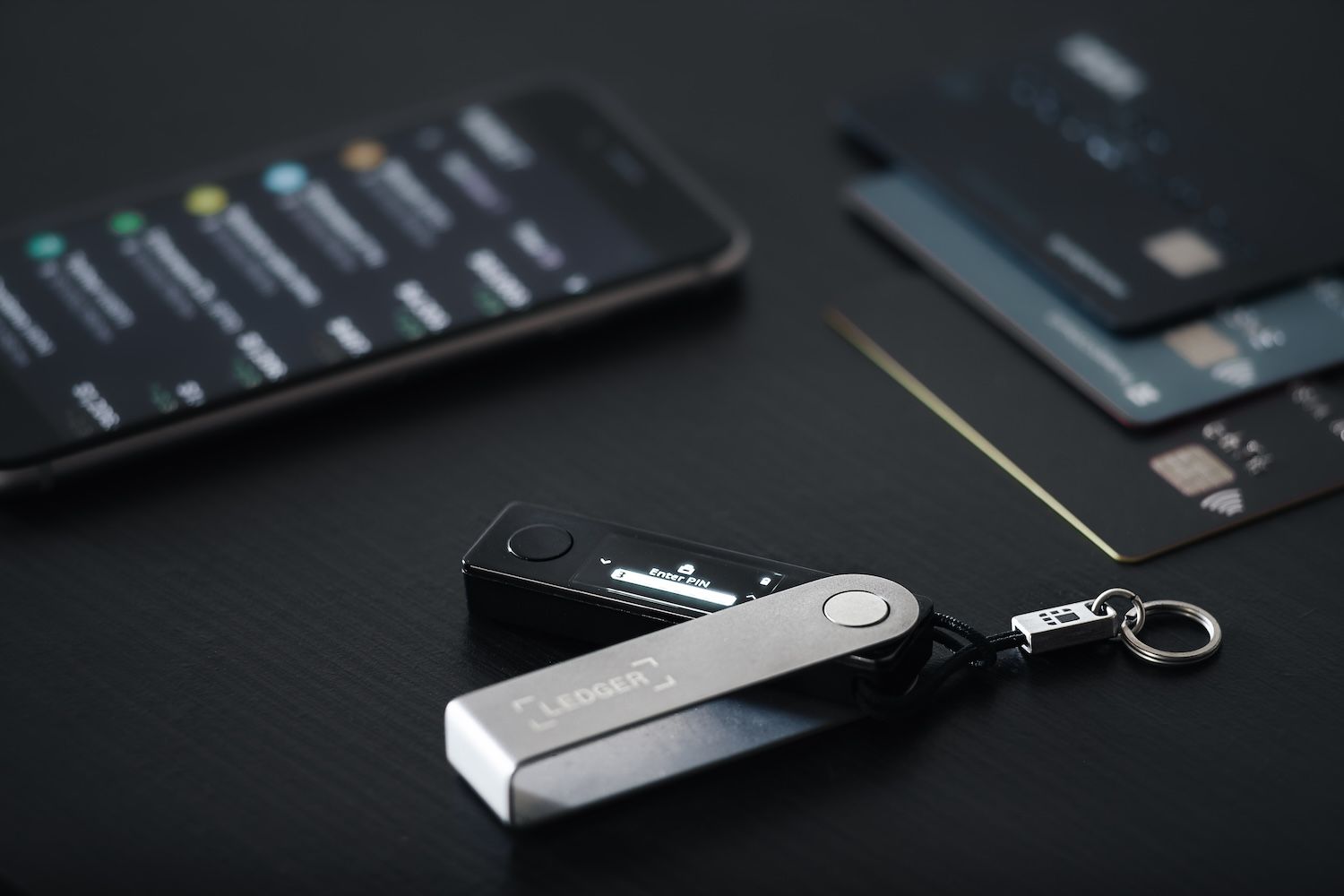
Ledger (Ledger Nano with Ledger Live) (Launched 2014; 7+ million devices sold)
Pros: Top-tier security – Ledger hardware wallets use a certified secure element chip to store keys, and no transaction can be signed without physical button confirmation; the Ledger Live software (desktop and mobile) provides an all-in-one interface to manage your assets and even interact with DeFi (via integrated apps and WalletConnect); supports over 5,500 coins and tokens – effectively most cryptocurrencies can be managed with Ledger, either directly in Ledger Live or by connecting the device to third-party wallets; widely integrated – you can connect a Ledger device to essentially any major wallet or dApp (MetaMask, SafePal, Phantom, etc. all support Ledger), making it a versatile security module; proven track record – since 2014 no Ledger device has been hacked through a technical flaw (only user mistakes or physical theft with PIN compromise pose risks).
優點: 最高級別安全性—Ledger硬件錢包採用經認證的安全元件芯片存儲私鑰,所有交易都必須按實體按鈕確認;Ledger Live軟件(桌面或手機版)提供資產管理一站式介面,還能接駁DeFi(整合App及WalletConnect);支援超過5,500種加密貨幣和代幣—大部份主流幣直接在Ledger Live或連到第三方錢包都可以管理;廣泛整合—例如MetaMask、SafePal、Phantom等主流錢包或dApp都支援Ledger,即成為多用途安全模組;歷史信譽—2014年至今無任何因技術漏洞而被駭案例(只因人為失誤或PIN外洩才有風險)。
Cons: Not free – devices range from around $79 (Nano S Plus) to $149 (Nano X) and more for premium models; the use of a hardware wallet adds steps – you must connect the device and approve each transaction, which is less convenient for rapid trading or frequent DeFi interactions; Ledger as a company had a data breach in 2020 where customer info (emails, addresses) was leaked – while it didn’t affect the devices’ security, it did cause some loss of trust and led to phishing attempts against Ledger owners; recently, a controversial “Ledger Recover” service raised concerns that a firmware update could allow sharding the seed online – some users felt this contradicted the purely offline ethos (Ledger insists it’s opt-in and secure, but it created some debate in 2023).
缺點: 唔係免費—硬件價錢由約$79美金(Nano S Plus)至$149(Nano X)或更高;用硬件錢包複雜咗,做交易需連線實體裝置及每次手動按鍵確認,未算方便,特別係高頻交易或玩DeFi較多時;Ledger公司2020年曾發生數據外洩洩漏顧客資料(電郵、地址等),雖然錢包私鑰冇受影響,但信譽有受損,有用戶遭遇釣魚詐騙;近年爭議性「Ledger Recover」服務惹疑慮—有韌體更新可能讓種子碎片上雲,有人批評有違全離線設計(Ledger強調只係自願選擇,而且有安全措施,但2023年都激起唔少討論)。
Overview: Ledger is almost synonymous with “hardware wallet” in the crypto world. Founded in France in 2014, Ledger has sold over 7 million devices as of 2024, dominating the market. If you have significant crypto holdings, many experts will suggest, “get a Ledger.” The flagship models are the Ledger Nano S Plus (budget-friendly, no Bluetooth) and Ledger Nano X (Bluetooth enabled, more memory for apps). In 2023, they also introduced Ledger Stax, a premium device with a touchscreen. These devices keep your private keys in a secure chip, isolated from internet access. When you want to sign a
總評: Ledger幾乎等於加密世界中的「硬件錢包」代表,總部法國,2014年創立,截至2024年售出超過700萬部,壟斷市場。如果你有大額資產,幾乎所有專家都會建議:「買個Ledger啦」。主打Nano S Plus(價錢親民、無藍牙)以及Nano X(有藍牙,記憶體多)這幾款型號。2023年新推觸控屏高階版Ledger Stax。所有裝置都將私鑰獨立鎖在安全芯片內,完全離線杜絕網絡風險。當你想簽交易時...transaction (be it sending crypto, swapping on DeFi, minting an NFT, etc.), the transaction data is sent to the device (via USB or Bluetooth), you review details on the device’s screen, and press buttons to confirm.
每次進行交易(無論係發送加密貨幣、DeFi 兌換、NFT 鑄造等),交易資料都會透過 USB 或藍牙傳送到裝置,然後你可以喺裝置螢幕上檢查詳情,再按掣確認。
The signed output is then sent back to the app to broadcast. This means even if your computer or phone had malware, it couldn’t steal your keys or forge a transaction you didn’t approve – the physical security factor is huge.
之後獲簽署嘅交易會傳回應用程式,再由應用程式發佈出去。咁樣就算你部電腦或者電話有惡意軟件,佢都偷唔到你嘅私鑰,亦都冇辦法幫你簽署你冇批准嘅交易——呢個物理保安機制好重要。
While hardware wallets like Ledger can be used with many wallet interfaces, Ledger’s own app, Ledger Live, provides a comprehensive solution. With Ledger Live, you can add accounts for numerous coins – Bitcoin, Ethereum, Ripple, Polkadot, you name it – and manage them all in one place. It also has integrated services: you can buy crypto through partners, stake certain coins (Ledger Live has built-in staking for Tezos, Polkadot, ETH, etc.), and even use DeFi apps.
Ledger 呢啲硬件錢包本身可以配合好多唔同錢包介面使用,但官方既 Ledger Live app 就係一個一站式解決方案。用 Ledger Live,你可以一次過管理好多幣種户口——例如 Bitcoin、Ethereum、Ripple、Polkadot 等等,都可以加埋一齊;同時仲有一啲內置服務,例如可以透過合作夥伴購買加密貨幣、幫一啲指定幣種做 Staking(Ledger Live 原生支援 Tezos、Polkadot、ETH 等等),甚至可以用 DeFi 應用。
For example, Ledger Live features a “Discover” section with apps like Paraswap (for token swaps across DEXs) and Lido (for staking ETH). It also supports connecting to any external dApp via WalletConnect, so you could initiate a Uniswap trade on Ledger Live or on your phone browser, and then confirm it on the Ledger device. Essentially, Ledger Live + Nano device gives you a combination of convenience and security – not as quick as a pure hot wallet, but much safer for large amounts.
例如,Ledger Live 裏面有個「Discover」分頁,可以用到 app 好似 Paraswap(跨 DEX 兌換代幣)、Lido(ETH Staking)等。亦支援透過 WalletConnect 連接外部 dApp,你可以喺 Ledger Live 定你個手機瀏覽器用 Uniswap 落單,再用 Ledger 裝置確認。即係話,Ledger Live 加埋 Nano 裝置,係方便同安全兼備——雖然唔會好似熱錢包咁快手,但對大金額嚟講,安全高好多。
Ledger’s widespread adoption means almost every DeFi application that connects wallets will support Ledger (usually via connecting to Ledger through MetaMask or similar). Many serious DeFi users use a Ledger integrated with MetaMask: MetaMask handles the connection, but every action requires the Ledger confirmation. This way, they enjoy the familiarity of MetaMask with the security of Ledger.
Ledger 用家遍佈全球,幾乎所有 DeFi 應用都支援(通常係經 MetaMask 或其他錢包介面連接 Ledger)。好多資深 DeFi 用家都鍾意同 MetaMask 一齊用 Ledger:MetaMask 負責連結,但每一個動作都要 Ledger 實體手動確認,兩者優點集合。
No hardware wallet review is complete without noting that you must keep your recovery seed (the 24-word card that comes with the device) safe. The device protects against digital theft, but if you lose the device and the seed, funds are gone; if someone finds your written seed, they can import it to a software wallet and steal everything (which is why some use metal backups and/or split the phrase in parts). Ledger’s security has been impeccable on the device side – hardware wallets have been stolen or hacked only when users chose weak PINs or were physically compromised.
講到硬件錢包,唔可以唔提 recovery seed(隨機附送嘅 24 字種子詞)一定要收好。個裝置係防住數碼盜竊,但如果你部機加埋張種子卡都唔見,資金就救唔返;相反如果有人搵到你抄低嘅種子,可以導入其他軟件錢包攞走你啲錢(所以有人用金屬板備份/或者將種子分拆儲存)。就裝置本身嚟講,Ledger 嘅安全性十分高——只有啲用家設定太弱 PIN 或者實體安全有漏洞先出事。
The 2020 customer database leak was unfortunate: it meant scammers could target Ledger owners with fake emails or even home visits. That incident reminded users to never share their seed and that Ledger (the company) will never ask for it. Despite that PR hiccup, Ledger has since improved privacy and remains the most trusted name in crypto storage.
2020 年有一次客戶資料庫洩露事件,導致 Ledger 用家俾騙徒鎖定假冒電郵甚至上門騷擾。呢件事都提醒咗大家,千祈唔好畀種子人,Ledger 官方永遠唔會問你要種子。雖然有過公關災難,Ledger 之後都加強咗私隱保護,依然係加密資產儲存界最值得信賴嘅品牌。
In summary, Ledger is the gold standard for securing DeFi funds. If you are serious about crypto investing or holding, you likely will end up with a Ledger or similar device. It might be slightly less convenient for rapid trading (each transaction needs device approval), but many find the peace of mind well worth the extra seconds. With hundreds of millions (if not billions) of dollars secured by Ledgers worldwide, it’s a proven solution to keep your keys safe while still allowing you to engage with the exciting world of DeFi.
總結,Ledger 係 DeFi 資金安全入面嘅黃金標準。如果你認真玩加密貨幣投資或者長線持有,好大機會都會買咗 Ledger 或同類裝置。雖然用來做快閃買賣未必最方便(每次都要確認),但多數人都覺得嗰幾秒時間換到安心係抵。依家全球有幾億甚至上千億美元用 Ledger 保護,證明係可靠兼安全嘅解決方案,保護你私鑰之餘,又可以參與 DeFi 世界。
Exodus (Launched 2016; ~1.5 million active users)
Pros: User-friendly and visually appealing interface – Exodus is known for its beautiful design and intuitive layout, great for beginners; supports 260+ cryptocurrencies with an emphasis on multi-chain capability (Bitcoin, Ethereum and tons of ERC-20s, Solana, Binance Chain, Algorand, etc.); built-in exchange feature that lets you swap one asset for another within the wallet (powered by exchange partners) – very convenient for quick trades; offers desktop, mobile, and now browser extension versions, syncing across devices with an option to link your wallet via email for easy login (this uses secure encryption of keys); integrates apps for earning yield, such as staking for Algorand, Cosmos, Tezos and others directly in wallet; strong customer support for a wallet (24/7 support and a comprehensive knowledge base) since Exodus is a formal company.
優點: 介面容易用,設計靚又直觀——Exodus 以其精美外觀和簡單操作聞名,好適合新手;支援超過 260 種加密貨幣,強調多鏈功能(Bitcoin、Ethereum、大量 ERC-20、Solana、Binance Chain、Algorand 等);內置兌換功能,可以直接喺錢包入面即時兌換資產(由合作交易所提供流動性)——快交易好方便;有桌面、手機,同埋瀏覽器擴充版,可以跨裝置同步,仲可以用電郵綁定錢包易啲登入(用安全加密處理私鑰);內置賺息功能,例如直接喺錢包做到 Algorand、Cosmos、Tezos 等 Staking;專業公司運營,錢包有 24/7 客戶服務同知識庫,援助好全面。
Cons: Closed source (mostly) – unlike many crypto wallets, Exodus’s code is not fully open for community review (though some components are open source). This means users have to place some trust in the Exodus team regarding security and privacy practices; in the past, fees for the built-in exchange were somewhat high due to partner spreads – it’s convenience for a price (advanced users might get better rates using a DEX or exchange directly); it lacks some advanced DeFi functionalities – for example, you can’t connect Exodus directly to Web3 dApps (until recently – the new browser extension version is changing this, but it’s still growing) and it doesn’t natively support things like NFT galleries (you can store NFTs like any asset, but there’s limited viewing support); being a pretty app, it sacrifices some customization – you might not get as granular control over gas fees or coin-specific settings as in other wallets.
缺點:(大部分)閉源——同好多加密錢包唔同,Exodus 個程式碼唔係完全開放比社群審查(雖然部分組件係開源)。即係用家要信 Exodus 團隊嘅安全同私隱措施;以往內置兌換收費較高,因為有合作夥伴價差——方便但有代價(進階用家自己用 DEX 或交易所可能更抵);唔係百分百支援所有 DeFi 功能——例如以往唔可以直接用 Exodus 連去 Web3 dApp(最近新瀏覽器擴展先開始補上,但仲係發展階段);唔原生支援 NFT 畫廊(可以存 NFT,但睇法有限);為追求易用同靚仔,部分自訂選項較少——未必可以細微調整 Gas/各幣設定。
Overview: Exodus is often recommended as a great starting wallet for newcomers because of its emphasis on design and ease. When you open Exodus, you’re greeted with a colorful portfolio chart, and navigating the wallet feels almost like using a modern banking app. Launched in 2016, Exodus has grown steadily and by 2024 it had around 1.5 million monthly active users and strong financials (it’s one of the few wallet companies that publishes earnings, as it did a regulated offering of its stock). They pride themselves on being a bridge between the traditional tech world and crypto – making self-custody palatable and even delightful.
綜合評價: Exodus 係新手入門推薦嘅好選擇,因為重視設計又易用。你打開 Exodus 會見到色彩繽紛嘅資產組合圖表,介面用落好似用緊現代網上銀行。2016 年推出,之後每年穩健增長,到 2024 已經有約 150 萬月活躍用戶,同埋穩健財政(係少有公開盈利嘅錢包公司,仲有公開發售股份)。佢哋以做傳統科技世界同加密世界橋樑為傲——令自主管理資產冇咁難,甚至幾享受。
Exodus is non-custodial; you control your 12-word secret phrase. The wallet supports a wide array of coins and makes it easy to send/receive them. A highlight is the exchange: you can swap coins right in the wallet interface. For example, swap Bitcoin for Ethereum or USDC for Solana with just a few clicks. Exodus partners with providers like ShapeShift and ChangeNOW for these swaps. While this isn’t as price-efficient as using a dedicated exchange, it’s very user-friendly.
Exodus 屬於自主管理(non-custodial),你自己掌握 12 字私密種子。錢包支援好多幣種,收發都簡單易用。一大賣點係內置兌換:你可以喺介面直接兌換不同幣,例如比幾個掣就可以將 Bitcoin 兌成 Ethereum 或將 USDC 轉為 Solana。Exodus 同 ShapeShift、ChangeNOW 等供應商夥伴合作提供流動性。雖然兌換價可能唔及專業交易所咁好,但用法夠 user-friendly。
Another big plus: Exodus has expanded beyond just storage to provide financial tools. It has staking built-in for certain assets – e.g., you can stake Cardano, Solana, Cosmos, and more by just clicking “earn rewards” and following simple steps, no need to manually delegate through complicated interfaces.
另一賣點係 Exodus 由儲存擴展到財務工具,部分資產可以直接喺錢包做 staking -好似 Cardano、Solana、Cosmos 等,只要撳「賺獎勵」跟住指示做,唔使研究複雜界面手動委託。
The wallet also added DeFi “Apps” in its desktop version (one-click access to Compound finance for lending, for instance). And importantly, in late 2022, Exodus released the Exodus Web3 Wallet, a browser extension that works similar to MetaMask but ties into your Exodus account. This finally allows Exodus users to connect to any Web3 dApp (Uniswap, OpenSea, etc.) through the familiar Exodus interface. It syncs with the desktop/mobile, meaning you can view the same assets across platforms.
錢包桌面版仲加咗 DeFi “Apps”(例如一鍵連去 Compound 做借貸)。更重要係 2022 年尾,Exodus 推出 Web3 Wallet 瀏覽器擴展,玩法似 MetaMask 但整合 Exodus 帳戶。依家終於可以經 Exodus 介面連結任何 Web3 dApp(Uniswap、OpenSea 等等),同桌面/手機版同步,無論用邊個裝置都睇同一組資產。
Security-wise, Exodus hasn’t suffered breaches, but the closed-source nature means one has to trust their security team. They do use standard encryption (keys are encrypted on your device, and if you enable their sync via email feature, it encrypts your keys with a password and stores it so you can use email as a username essentially). Some advanced users dislike this approach as being too reliant on the company’s cloud, but others find it convenient for multi-device use.
安全層面,Exodus 暫時未試過重大漏洞,但閉源設計始終要信官方 security team 質素。佢哋用標準加密(私鑰會加密儲本地,如果你開啟電郵同步功能,佢會用密碼加密私鑰然後儲存,變相 email = username)。有進階用家覺得依賴雲端太多,但有啲人覺得方便啲,尤其多裝置使用嘅情況。
Exodus’s model as a company means they make money through the spreads on swaps and some partnerships. They have customer support, which is a rarity for non-custodial wallets – so if you have an issue, you can actually email or chat with Exodus support (they won’t be able to recover funds if you lost keys, but they can help with using the app).
Exodus 做公司嘅話,主要靠兌換差價同合作夥伴賺錢。最大分別係有專人支援,呢啲去中心化錢包好少有——如果遇到問題,可以 email 或 live chat 客服(雖然你丟失私鑰佢都搵唔返啲錢,但用 app 遇到問題起碼可以有人幫你處理)。
In summary, Exodus is like the “Apple of crypto wallets” – very design-centric, aiming for things to “just work” for the user. It might not satisfy the hardcore DeFi user who wants complete open-source and fine-tuned control, but it excels at providing a polished experience. Many users start with Exodus to get comfortable, and some stick with it long-term because it continues to improve (with new features like the NFT support and Web3 extension addressing prior limitations). It’s a strong choice if you want a multi-asset wallet on desktop or mobile that’s backed by a reputable company and offers a lot under one roof.
總結,Exodus 就好似「加密錢包界嘅 Apple」——超著重用戶體驗,主張樣樣嘢打開就用得、做到。硬核、追求極致開源/細緻控制嘅玩家可能未必滿意,但追求優質體驗會好適合。好多人由 Exodus 新手學起,後來都繼續用,因為功能持續更新(例如 NFT 支援、Web3 擴展補足缺口)。如果你搵緊一個桌面/手機都用得、搵得間正規公司背書嘅多功能錢包,Exodus 係一個唔錯嘅選擇。
How to Choose a DeFi Wallet: Key Criteria to Consider
With so many wallet options on the table, choosing the right one can feel daunting. But selecting a DeFi wallet really comes down to evaluating your own priorities and usage patterns. Here are several key criteria and questions to consider when picking a DeFi wallet for your needs:
點揀 DeFi 錢包:最重要嘅考慮因素
現時市場錢包選擇咁多,揀得啱可以話幾頭痛。其實最重要係了解自己有咩需要,用法係點,然後揀最合適。以下有啲重要準則同反思問題,可以協助你揀到最 fit 嘅 DeFi 錢包:
Security vs. Convenience
All the wallets we discussed are non-custodial (you control the keys), but the degree of security can vary. If you’re managing significant funds or plan to hold for the long term, a hardware wallet or a wallet with advanced security (like social recovery or MPC) should be strongly considered. Hardware wallets like Ledger or Trezor provide excellent security but add a bit of friction to every transaction (you need the device to confirm actions). On the other hand, a pure software wallet (MetaMask, Trust Wallet, etc.) on your phone or PC is very convenient for frequent trades and dApp interactions – but you’re more exposed if your device is compromised. Think about your own risk tolerance. If you’re an active trader doing small transactions daily, you might lean towards the convenience of a hot wallet. If you’re a “HODLer” holding larger amounts or only occasionally using DeFi, a hardware wallet or a solution like Argent (with protected transactions) might be worth the extra steps for peace of mind.
安全 vs 方便
以上介紹啲錢包全部都係自主管理(你自己揸鑰匙),但實際安全度有差異。如果你管理大額資金或者打算長線儲存,建議最好用硬件錢包/高級安全(例如社交恢復或多方計算 MPC)嘅方案。硬件錢包(Ledger、Trezor等)安全超高,但每次交易要確認,流程多一步。反之,純軟件錢包(MetaMask、Trust Wallet等)喺手機電腦度用,做平時操作、dApp互動快捷方便——但如果裝置出事,風險會高啲。諗下自己承受幾多風險:活躍炒散、日日細額交易,可能會傾向選熱錢包方便啲;如果係“定投”大額資產,或者偶爾做DeFi,用硬件錢包/類 Argent 交易保護方案,多行一步都換来越更安心。
Supported Assets and Blockchains
Make sure the wallet you choose supports all the cryptocurrencies you own
支援資產同區塊鏈
記住要揀個錢包係支援曬你持有嘅全部加密貨幣同公鏈......(或計劃持有的)資產。如果你主要活動在Ethereum(以太坊)世界(ERC-20代幣、以太坊為基礎的dApps),MetaMask、Coinbase Wallet或Argent這類錢包就最適合。不過如果你同時涉及其他生態系統——例如你持有Solana的NFT、Binance智能鏈的代幣,或者Cosmos生態的幣——你就需要如Trust Wallet、SafePal或Exodus這些多鏈錢包,可以一次過儲存多種資產。有啲錢包可能要用戶手動加入自訂網絡或者代幣,對有經驗的用戶嚟講無問題,不過新手可能會覺得比較煩。一般建議,你可以列出自己持有或者打算用的前5–10種代幣,然後確認個錢包原生支援(native support)佢哋。另外,要留意近年有啲錢包開始擴展多鏈支持(好似Phantom原本係Solana錢包,之後加咗Ethereum支持)。如果你想接觸新出嘅blockchain或者某啲特定DeFi協議生態,就要確認個錢包可以連接到佢。最終你可能用多過一個錢包(好多人都咁做)——例如一個儲Bitcoin,另一個搞Ethereum DeFi等等——但要注意咁樣會增加備份管理嘅複雜度。雖然而家好多新型錢包都標榜一站式管理,不過你都要實際確認佢哋支援緊你手上啲資產。
用戶體驗同易用性
如果你係DeFi新手,學習曲線就更加重要。有啲錢包好簡單直接,介面清晰(Exodus、Coinbase Wallet同Argent經常俾人稱讚好用),但亦有啲展示更多技術細節(例如MetaMask,預設下你要自己set gas fee,會見到多啲底層資訊)。諗清楚你對gas、交易確認、加新網絡等概念有幾大信心。如果覺得啲細節麻煩,選擇可以自動處理呢啲(譬如Argent係L2自動搞掂好多步驟,或者Coinbase Wallet簡化咗流程)嘅會啱啲。相反,如果你想學多啲兼完全掌控,就可以用MetaMask,自己睇同改所有參數。仲要諗下你鐘意咩介面:例如你想唔想見到投資組合價值及圖表?(Exodus做得好突出)你有冇需要黑暗模式?(大多都有,不過用得耐細節會有分別)再檢查下錢包有冇做教育支援——依家好多野都會有APP貼士或者教學連結。既然DeFi錢包係自管自己資產,揀一個令你覺得自己掌控到、又唔至於用到失晒方向嘅會最理想。
與DeFi平台兼容性
如果你玩DeFi目的係要swap DEX、借貸、挖礦(yield farming)、NFT交易等,一定要揀啲易同dApp連接的錢包。MetaMask、支援WalletConnect嘅錢包(例如Trust、SafePal、Crypto.com DeFi Wallet等),以及Phantom(for Solana dApps)都好廣泛被DeFi平台支持。用之前不妨寫低3–5個你會用的DeFi dApp(例如:Uniswap、Aave、OpenSea、PancakeSwap等),查清楚你揀個錢包可以唔可以連到。例如MetaMask幾乎全個Ethereum dApp都支援。Trust Wallet冇得用browser extension,不過用WalletConnect——而而家大部分dApp都支援(WalletConnect可以用手機錢包QR code連住desktop browser)。
Coinbase Wallet有browser extension外,手機app都有內置dApp瀏覽器。Argent屬於比較獨立型app,mainnet上唔可以直接外部連dApp(但app入面自己有啲預設整合功能)。如果你要最大化玩DeFi,browser extension錢包或者支援WalletConnect會好啲。相反,如果你主要係被動持有、偶爾只是rebalance或stake,咁dApp連接就無咁重要——可能會更加著重有冇好用嘅賺息(earning)或者簡單Swap功能。總之,錢包connect途徑點,應該同你玩DeFi的實際需要match。
備份及恢復選項
呢一part太多人忽視,但其實非常重要:如果出事(例如手機/電腦壞)你點recover個錢包?全部自管錢包一般都會有一組助記詞(recovery seed/phrase)俾你backup。你係咪真係有信心好好安全咁保存啲seed phrase?如果未必,可以諗下啲有替代式恢復方案的錢包。
例如Argent的社交恢復(social recovery)設計,就唔需要紙筆backup——你可以搵“守護者(guardians)”幫手恢復。ZenGo就直接冇seed phrase,而係用雲端備份加人臉辨識。呢啲減低咗你鎖死帳戶的風險,但有trade-off(Argent要事前搵定守護者、ZenGo信任佢setup)。有些(如Coinbase Wallet或Trust Wallet)都畀你backup加密咗的key落雲端(Google Drive / iCloud)——方便,不過啲人未必接受任何backup放網上,即使加密咗都係。要睇你自身情況:如果手機唔見/部機壞咗,你有冇能力穩妥keep住backup?如果係,咩錢包都得——將seed phrase做多幾個備份,安全收藏。如果唔係,建議選啲備份更方便的錢包(即使換取少少權限trade-off,好似ZenGo第三方分片,或者Argent靠朋友協助回復)。尤其如果你要幫家人朋友set錢包而佢哋又唔tech-savvy,ZenGo或Argent會幾適合——總好過MetaMaskseed phrase記錯一粒字就玩完。
社群與支援
DeFi世界變化極快,有時真係需要問人或者遇bug時要搵人support。考慮一下你揀個錢包有冇活躍社群同官方支援渠道?有冇Telegram/Discord/論壇可以求助?公司有冇客服團隊?例如Exodus本身有強大客服,Ledger有詳細文件同專門helpdesk(不過有時要等耐啲)。Trust Wallet有用戶forum同FAQ。MetaMask就主要靠社群支援同文檔(仲要小心假客服诈骗!)。社群活躍都代表個錢包用戶多、常更新。選擇前不妨睇下佢Twitter或者社區版有冇人回應留言。
仲要注意下最新一次更新時間——持續有active開發代表錢包跟緊潮流同update安全patch。始終用自管錢包,你係自己銀行,有官方或用戶群做後盾會安心啲。
特別功能
最後,可以列舉下咩特點或者用途對你嚟講重要。
如果超鍾意NFT,揀錢包時就重點睇下係咪靚仔咁展示NFT、或者可以輕鬆用NFT市集交易(Phantom同Trust都正,MetaMask手機版開始支援NFT展示,Coinbase Wallet都有gallery)。做staking或者農夫都一樣,搵啲設計上專門支援搵息的(Exodus、Argent有built-in staking;SafePal、Trust都有賺息專區)。
如果注重私隱,可以考慮有Tor連接或者相關feature的錢包(雖然主流錢包少,但你可以考慮比特幣Wasabi,或者啲有Mixer功能的以太坊錢包——呢啲就高級啲, 新手未必用)。需要multi-signature(簽名交易/多人帳戶/額外安全)可考慮Gnosis Safe——呢個專門多重簽名,但日常用會難啲。一般人未必需要,但你管理group或DAO基金就啱用。另外,法幣入金功能(fiat on-ramps)——有啲錢包(Exodus、Ledger、Trust)可以直接用信用卡/銀行過數買幣,好方便。
總之,就算只係想睇自己portfolio有冇顯示本地貨幣資產(好多新錢包都有)/想幣價大上落時有通知(個別錢包有alert功能)都可以列出嚟考慮。如果糾結於幾款之間,呢啲細feature可能就成為決定性因素。
結論:用合適的錢包,展開屬於你的DeFi之路
如果你係初學者或閒置小額投資者,可以優先考慮簡單易用的錢包。Exodus或Coinbase Wallet就係不錯嘅入門選擇——介面夠整齊、有學習資源,令你自己管理資產時唔會太大壓力。
當你熟悉晒流程之後,就可以考慮用MetaMask等更進階錢包,解鎖更多DeFi應用——甚至可以同硬件錢包(如Ledger)一齊用,儲得多資產就多一重安全。好處係你可以由簡單開始,慢慢逐步升級,建立屬於自己理想的setup。
對有經驗、或者管理大額的用戶來說,安全性始終係最重要。
你可能會揀用市面驗證過的方案:儲倉會用Ledger,或者睇重Argent的智能合約安全設計,亦有人用SafePal隨時喺手機/硬件切換。你會明白DeFi世界,自己就是銀行,自然會投資時間搞好backup、硬件、多重簽名等流程保障自己安睡。好消息係,今時今日啲錢包設計已經相當安全+易用,只要耐心setup學識運作,你已經贏一大步。
所以話,揀DeFi錢包,其實係個人化選擇。最緊要你用得安心又有信心。適合你的錢包,會令你用DeFi變得自然甚至享受,而唔係壓力重重。亦會幫你build financial sovereignty, one transaction at a time. So take your time, do your research (we hope this article has helped), and don’t be afraid to test a couple of wallets with small amounts to see what feels right.
逐步建立你的財務自主權。唔使急,好好做下功課(希望呢篇文章幫到你),亦都唔好怕用少少資金試下幾個不同嘅錢包,搵到啱自己用嘅先最緊要。