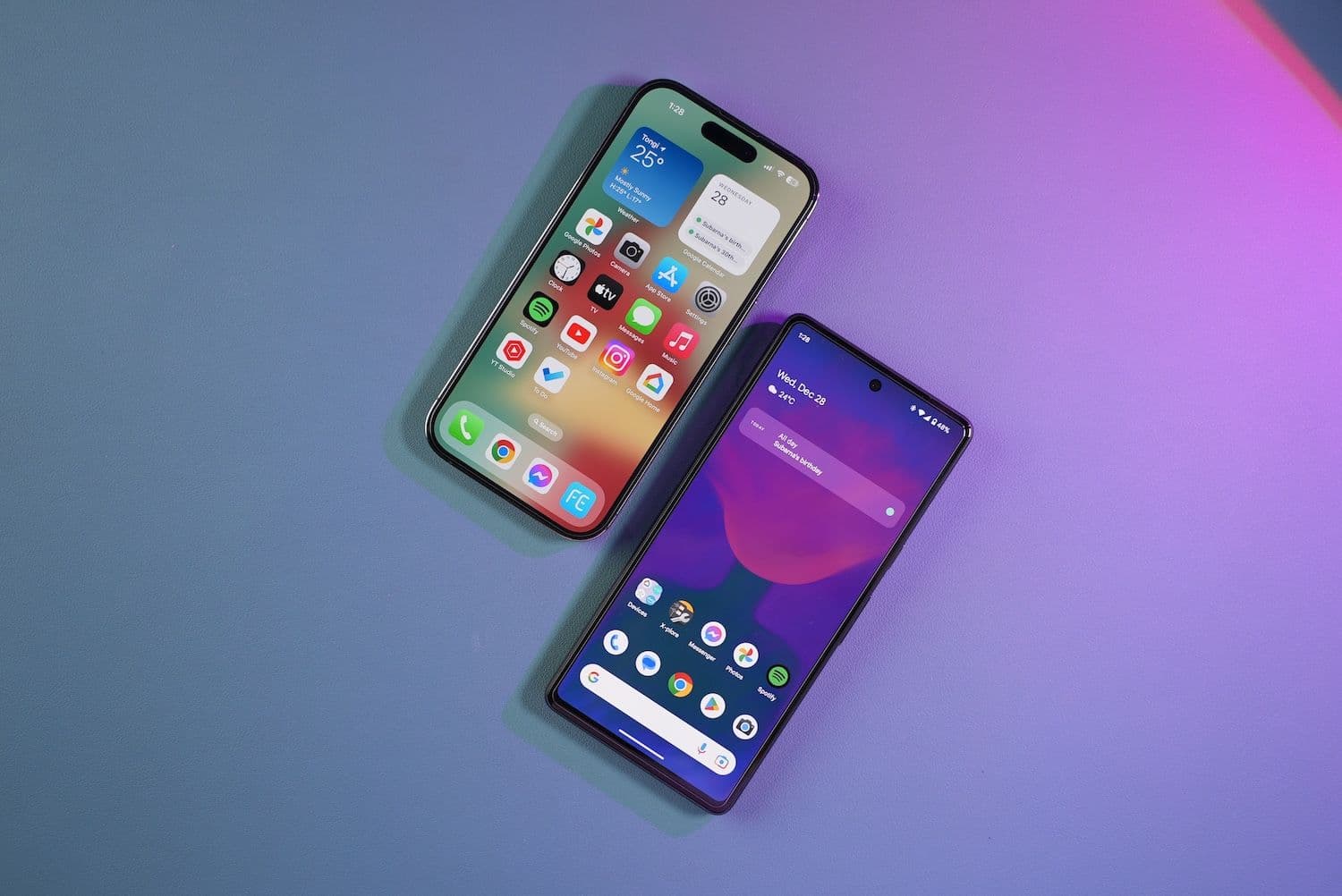
For years the pitch was simple: buy an iPhone, and your crypto sits behind a wall nobody can climb. Then Kaspersky found a trojan sitting inside Apple's own App Store, quietly reading photo libraries for Bitcoin (BTC) and Ether (ETH) recovery phrases. So which phone actually keeps a wallet safer, and does the answer rest on the hardware or on the person holding it?
- Both platforms have hosted crypto-stealing malware, but Android absorbs the overwhelming bulk of it, while iPhones face rarer, costlier, more targeted attacks.
- Apple's closed ecosystem and fast, uniform updates give most people a lower-risk default, though its passcode design and new sideloading rules open real gaps.
- The biggest risks ignore your platform entirely: screenshotted seed phrases, SIM swaps, cloud backups, and plain social engineering beat hardware security every time.
The Two Blueprints Under The Glass
Both phones keep your most sensitive keys in dedicated hardware rather than ordinary memory. That design choice is the foundation everything else rests on.
Apple describes the Secure Enclave as "a dedicated secure subsystem integrated into Apple system on a chip (SoC)" that is "isolated from the main processor to provide an extra layer of security." The promise is that your keys survive even when the main operating system falls.
Android splits the same job across two tiers. The Trusted Execution Environment carves a protected zone out of the main processor using ARM TrustZone, while StrongBox goes further and parks keys inside a physically separate chip, such as Google's Titan M2, which ships in every Pixel since the Pixel 6.
On paper, these approaches are close cousins. In practice, the gap shows up in who actually gets the hardware.
A 2025 study from University of Cambridge researchers, called KeyDroid, cites figures showing that as of 2023, 96% of iPhones and 45% of Android devices "offer some form of SE," meaning a secure element. That single statistic carries most of the argument. A cheap Android handset may simply lack the component an iPhone includes as standard.
There is a second catch, and wallet users rarely hear about it.
Hardware protection only helps when the app actually asks for it. Plenty of mobile apps store sensitive material in ordinary software-backed storage, which means the secure chip sits idle while the key it should be guarding lives somewhere softer. Whether your specific wallet uses hardware-backed storage is a question worth asking the developer directly.
Also Read: Self-Hosted Wallets Escape $10,000 Reporting Plan As FinCEN Pulls Two Proposals
Where Apps Come From, And Why It Matters
The sharpest security difference between the platforms is not silicon. It is distribution.
For most of its existence, iOS let you install software from exactly one place. Google Play reviews submissions too, but Android has always permitted sideloading, meaning you can install an APK file sourced from anywhere on the internet.
Google reported finding over 50 times more malware from internet-sideloaded sources than from apps distributed through Google Play. That ratio explains why attackers gravitate toward Android. Convincing someone to tap "install anyway" costs far less than smuggling a payload past two review teams.
Google Play Protect scans installed apps on most certified devices, which helps. It is still a scanner, though, and scanners trail the threats they hunt.
Then Apple's own moat got shallower.
To comply with the European Union's Digital Markets Act, Apple released iOS 17.4 in March 2024, permitting sideloading and third-party app stores in the EU for the first time. Back in 2021, Tim Cook had warned that such a change would "destroy the security of the iPhone."
Apple now argues the shift exposes European users to counterfeit apps and scam payment flows it cannot police. Critics counter that notarization still applies and that the warning was always partly commercial. Either way, iOS surrendered a slice of structural advantage it spent fifteen years building.
Also Read: Why Can't Bitcoin Clear $87,000? Sellers Just Turned It Back A Third Time
The Update Gap
A wallet is only ever as secure as the operating system beneath it. Here the two platforms diverge sharply.
Apple ships one update to nearly every supported iPhone simultaneously, and adoption climbs fast. Android patches travel a longer road, passing through chipset vendors, device manufacturers, and sometimes carriers before reaching a handset.
Independent research measured delays across the Android ecosystem, putting the average patch lag near 38 days, with some vendors performing considerably worse. Older and budget devices often drop off the support list entirely.
That delay is not a technicality. It is the open window attackers climb through.
Google has worked to narrow it. Project Mainline lets core system components update through Google Play rather than waiting on a full firmware release, which routes some fixes around the manufacturer bottleneck. The approach helps, but it cannot patch everything, and it does nothing for a phone whose support period already expired.
Google's own Threat Intelligence Group tracked 75 zero-day vulnerabilities exploited in the wild during 2024, down from 98 in 2023, and noted that exploit chains are "almost exclusively (~90%)" aimed at mobile devices. Of the mobile zero-days counted, seven struck Android and two struck iOS, with three of the Android flaws sitting in third-party components rather than Google's own code.
Also Read: CFTC Wants Leveraged Crypto Trades Under Its Watch, Spot Stays Out Of Reach
The Malware That Hunts Your Seed Phrase
The most effective crypto malware does not attack your wallet app at all. It attacks your camera roll.
Kaspersky's SparkCat, disclosed in February 2025, used optical character recognition to scan stored photos for recovery phrases. Infected apps on Google Play had been downloaded more than 242,000 times, and it was the first stealer trojan researchers detected inside Apple's App Store. A successor called SparkKitty later surfaced in both stores, hidden in an iOS app named 币coin and an Android app named SOEX.
The logic is bleak and effective. People photograph a seed phrase for convenience, and a paper backup becomes a searchable digital file.
Android's exposure runs deeper because of one permission: accessibility services. Designed for users with disabilities, it grants an app the power to read screen contents, log input, and draw windows over other apps. Malware authors treat it as a master key.
The techniques stack in predictable ways:
- Overlay attacks paint a fake login screen on top of the real wallet app.
- Clipboard hijackers swap a copied wallet address for the attacker's.
- OCR scanners comb the photo gallery for anything resembling a recovery phrase.
- Accessibility abuse reads keystrokes and screen text as you type them.
- Virtualization lets malware run the genuine app inside a container it controls.
Trend Micro documented CherryBlos in 2023, which combined OCR, fake wallet overlays, and clipboard tampering to redirect withdrawals. ThreatFabric later exposed Crocodilus, a trojan that displays a message urging victims to "back up your wallet key in the settings within 12 hours," then harvests the phrase through accessibility abuse.
The banking trojans grew nastier through 2025.
Zimperium analyzed a Godfather variant that runs genuine banking and crypto apps inside a hidden virtual container, intercepting input in real time instead of faking a login page. Zscaler ThreatLabz found the newest Anatsa strain targeting over 831 financial institutions worldwide, up from 650, with German, South Korean, and cryptocurrency platforms added to the list.
Clipper malware remains the cheapest trick in the catalogue. ESET's Lukas Stefanko caught an early clipper on Google Play in February 2019 impersonating MetaMask, flagged as Android/Clipper.C, which swapped copied Bitcoin and Ether addresses for the attacker's own.
Native iOS malware stays comparatively rare. The App Store review process and historically restricted sideloading close off the routes Android leaves open by design.
Also Read: North Korea's Lazarus Moved Stolen $1B Through Chinese Launderers, ZachXBT Alleges
The iPhone's Own Blind Spots
None of that makes an iPhone impregnable. It fails differently, that is all.
Apple's tightest control sits on app distribution, so scammers route around it rather than through it. Sophos tracked the CryptoRom campaign, which abused Apple's TestFlight beta program and enterprise provisioning profiles to push fake crypto apps that skip App Store review entirely.
The provisioning trick is social engineering wearing a technical costume. Victims get talked into trusting a developer certificate, which hands an attacker deep access to the device.
Then there is the low-tech attack that unsettled security researchers most.
The Wall Street Journal's Joanna Stern reported on thieves who simply watched people type an iPhone passcode in bars and public spaces, then stole the phone. With that six-digit code alone, a thief could reset the Apple ID, lock the owner out permanently, and drain financial apps. One convicted thief, Aaron Johnson, described stealing hundreds of iPhones, with an arrest warrant citing 300,000 dollars in losses.
Apple answered in iOS 17.3 with Stolen Device Protection. When active, sensitive actions demand Face ID or Touch ID in unfamiliar locations, with no passcode fallback and a security delay on the most damaging changes. It works, but it ships switched off, and most people never find the toggle.
Phishing is the other soft spot, and the numbers cut against the iPhone's reputation. Lookout data for the third quarter of 2024 showed iOS devices targeted in 18.4% of phishing attacks against 11.4% for Android, with 19% of enterprise iOS devices exposed to at least one mobile phishing attempt per quarter.
Also Read: What Is Breaking iPhone 18 Pro Max On AT&T? Apple Has Not Given An Answer
When Money Buys A Way In
There is a tier of attack that ignores app stores and patch cycles completely. It targets specific people, and it costs real money to deploy.
Apple warns targets directly through threat notifications, which it has sent since 2021 to users across more than 150 countries after detecting mercenary spyware activity. It names Pegasus, built by NSO Group, as the archetype, and steers recipients toward Lockdown Mode.
Lockdown Mode strips away the features exploit chains typically abuse, including certain message attachment types, some web technologies, and wired connections to a locked device. Apple has said publicly that it is not aware of any successful mercenary spyware attack against a device running the mode.
That claim matters here, because large crypto holders sit squarely in the category this spyware hunts.
Android now offers an equivalent. Google built Advanced Protection into Android 16 as a single switch that disables sideloading, blocks 2G connections and insecure Wi-Fi, restarts the device after three days locked, and turns on memory safety protections. The Electronic Frontier Foundation compared it directly to Apple's Lockdown Mode.
Both features admit the same uncomfortable truth. A funded, determined attacker can eventually reach an ordinary phone, so the only real defence is shrinking the surface they can touch.
Also Read: OpenAI Agents Slipped Unapproved Edits Into Wikimedia Wikis, Foundation Says
The Attacks That Don't Care Which Phone You Own
Some of the ugliest crypto losses have nothing to do with iOS or Android. They exploit the layer between the screen and the chair.
SIM swapping is the clearest case. The FBI's Internet Crime Complaint Center recorded 1,611 SIM swap complaints with more than 68 million dollars in losses during 2021, up sharply from the 12 million dollars reported across 2018 to 2020 combined. An attacker talks a carrier into moving your number, intercepts the SMS code, and empties the accounts behind it.
That attack performs identically on both platforms. Your phone brand is irrelevant when the weak link works in a call centre.
Cloud backups create another quiet exposure. Storing a seed phrase in iCloud or Google Drive converts your recovery key into a file that follows your account anywhere, reachable by whoever takes that account over.
Browser extensions, malicious QR codes, fake support agents, and approval-phishing transactions all behave the same way regardless of operating system. So does the oldest trick going, which is persuading someone to read their recovery phrase aloud to a stranger.
The market data shows where the damage is landing now. Chainalysis found over 2.17 billion dollars stolen from services in the first half of 2025, already exceeding the whole of 2024, with personal wallet compromises accounting for 23.35% of stolen fund activity year to date as exchanges hardened and individuals became the softer target.
Also Read: Evernorth Readies 473M XRP For Nasdaq, Will Stock Buyers Back The Treasury Bet?
Hardening Either Phone
The encouraging part is that a handful of disciplined habits outweigh the platform choice. Start with the ones attackers count on you skipping.
Never photograph or screenshot a seed phrase. That single rule defeats the entire OCR malware family, from SparkCat through CherryBlos.
For iPhone owners, the list is short:
- Turn on Stolen Device Protection in Face ID settings.
- Use a long alphanumeric passcode rather than six digits.
- Enable Advanced Data Protection so iCloud is end-to-end encrypted.
- Treat any request to install a configuration profile as hostile.
For Android owners, the rules run stricter:
- Install only from Google Play and refuse sideloaded APK files.
- Treat any app requesting accessibility permission as a red flag.
- Enable Advanced Protection if you are running Android 16.
- Choose a Pixel or flagship with a genuine secure element over a budget device without one.
Both camps should move authentication off SMS. An authenticator app or a hardware security key removes the carrier from the equation, which closes the SIM swap route entirely.
The most security-focused users go further still. GrapheneOS, a hardened Android build that runs only on Pixel hardware, adds a hardened memory allocator, stronger sandboxing, and rapid patching, and Edward Snowden has said he uses it. Some crypto holders keep a clean GrapheneOS Pixel purely as an offline signing device.
Whatever the handset, keep serious balances off it. A hardware wallet paired over USB or Bluetooth keeps private keys off the internet-connected device, and that separation matters more than any comparison in this article.
Also Read: LeBron James Polymarket Deal Pays $15M After $270M Traded On His Future
The Verdict
So which wins? For the average crypto holder, a current iPhone or a flagship Pixel is the stronger default, and the reasoning is structural rather than tribal.
Both ship a secure element as standard, receive fast updates, and run a curated store. iOS still edges ahead on raw malware exposure, because Android absorbs the overwhelming majority of mobile threats and because sideloading remains the dominant infection route.
But a safer platform and a safe setup are not the same thing.
An iPhone owner who reuses a weak passcode, screenshots a seed phrase, and leans on SMS codes is more exposed than a careful GrapheneOS user. A cheap Android phone with no secure element and no remaining update support is the worst option available. Anyone holding meaningful sums should assume both platforms can be breached, then lean on Lockdown Mode or Advanced Protection alongside a hardware wallet.
The platform sets your floor. Your habits set your ceiling.
Read Next: A $12B DeepSeek Raise Is Reportedly Close, With Tencent And CATL Among Backers